Blog

  • A Friendly Guide to Reduce Shopping Cart Abandonment

    A Friendly Guide to Reduce Shopping Cart Abandonment

    If your online store feels like it’s hemorrhaging money right at the finish line, you’re not wrong. To reduce shopping cart abandonment, the first step is realizing it's not just a metric on a dashboard—it's high-intent customers walking away with your revenue in their pockets. The real work begins when you stop just watching the number and start diagnosing why they’re leaving.

    Understanding the Cart Abandonment Problem

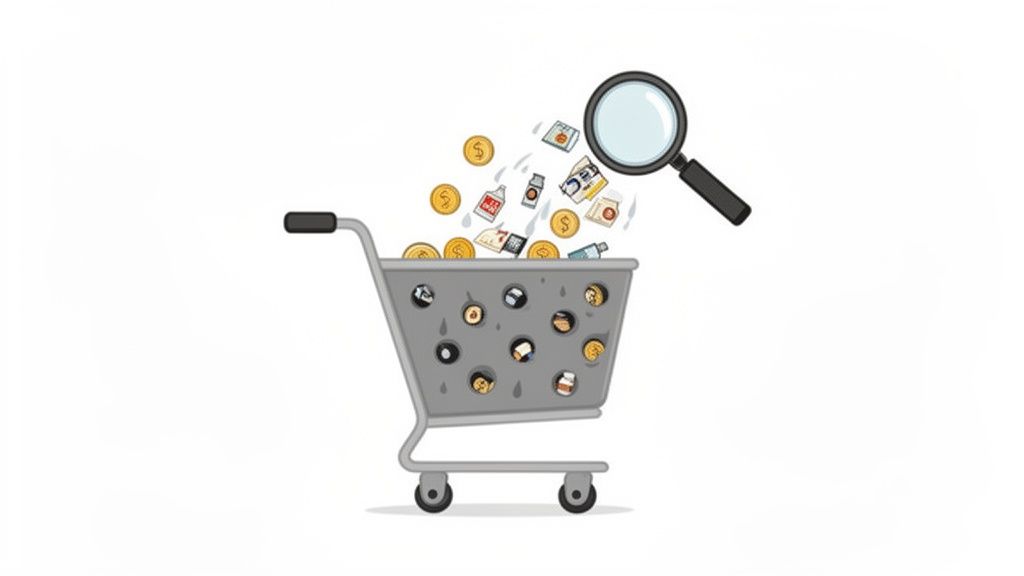
    Magnifying glass over a leaky shopping cart with products and money, symbolizing lost sales.

    It’s tempting to get bogged down in industry benchmarks, but the problem is fundamentally simple. Someone wanted your product. They liked it enough to click "Add to Cart," but then… something went wrong.

    That’s not just a lost sale; it’s a failure at the most critical moment in the entire customer journey. Whether you’re a SaaS business watching potential users drop off during sign-up or an ecommerce store with carts full of abandoned goods, the result is the same: a direct hit to your bottom line.

    Why Your Bottom Line Is Leaking

    The numbers put the scale of the challenge into perspective. The global average shopping cart abandonment rate is a staggering 70.19%. This means more than 7 out of every 10 shoppers who start a purchase simply walk away.

    What's tripping them up? The number one culprit is unexpected shipping costs, which deter 1 in 4 (25%) shoppers. When you factor in other extra fees, that number jumps to 55%. For anyone running an online store, this is a clear signal that you can't afford to wait. You have to intervene to win back that massive slice of revenue.

    But it's not always one big, glaring issue. Often, it’s death by a thousand cuts. A confusing form, a missing trust seal, or a slow-loading payment page—any of these small friction points can be the final straw that sends a customer packing.

    The goal isn't to eliminate abandonment entirely—that's a fool's errand. The real win is plugging the biggest, most obvious leaks in your checkout to recover revenue from the traffic you're already getting.

    Shifting from Problem to Action

    Looking at a 70% abandonment rate can feel paralyzing. Where do you even begin? The trick is to stop thinking of it as one giant problem and start seeing it as a series of smaller, fixable ones.

    Instead of asking, "Why is my abandonment rate so high?" start asking sharper, more diagnostic questions:

    • Is our pricing crystal clear from the start? Hidden costs are the fastest way to break trust and lose a sale.
    • Are we forcing people to create an account? This is a huge barrier, especially for first-time buyers who just want to get in and out.
    • Does our mobile checkout feel clunky? If it’s not smooth and effortless on a phone, you're bleeding sales. Period.
    • Do we look trustworthy? A lack of security badges or a cheap-looking design can spook customers right before they enter their credit card details.

    For a quick look at the most common reasons shoppers leave and what you can do about them right now, here’s a simple breakdown.

    Common Reasons for Cart Abandonment and Your First Fixes

    Reason for AbandonmentWhat Your Shopper ExperiencesYour Actionable Fix
    Unexpected Costs“Whoa, shipping is how much? No thanks.”Show all costs upfront on the product and cart pages. Offer a free shipping threshold.
    Forced Account Creation“I don’t want to create another account just to buy this one thing.”Offer a prominent “Guest Checkout” option.
    Complicated Checkout“This is taking too long. Too many steps and confusing forms.”Simplify your checkout to a single page. Use address auto-fill and offer express pay options.
    Security Concerns“This site looks a bit sketchy. I’m not putting my card info in here.”Display trust badges (SSL, McAfee, etc.) and customer reviews clearly.
    Poor Mobile Experience“These buttons are too small, and the site is slow on my phone.”Test and optimize your entire checkout flow for mobile. Ensure buttons are large and pages load fast.

    Each fix might seem small, but together they create a much smoother path to purchase.

    By breaking the problem down this way, you can finally move from staring at data to taking meaningful action. Every little improvement directly contributes to a better customer experience and, most importantly, more revenue.

    For a complete playbook on turning this challenge into an opportunity, check out An AI-Powered Guide to Reduce Cart Abandonment. It’s the perfect starting point for transforming browsers into buyers.

    Finding Out Why Your Visitors Are Leaving

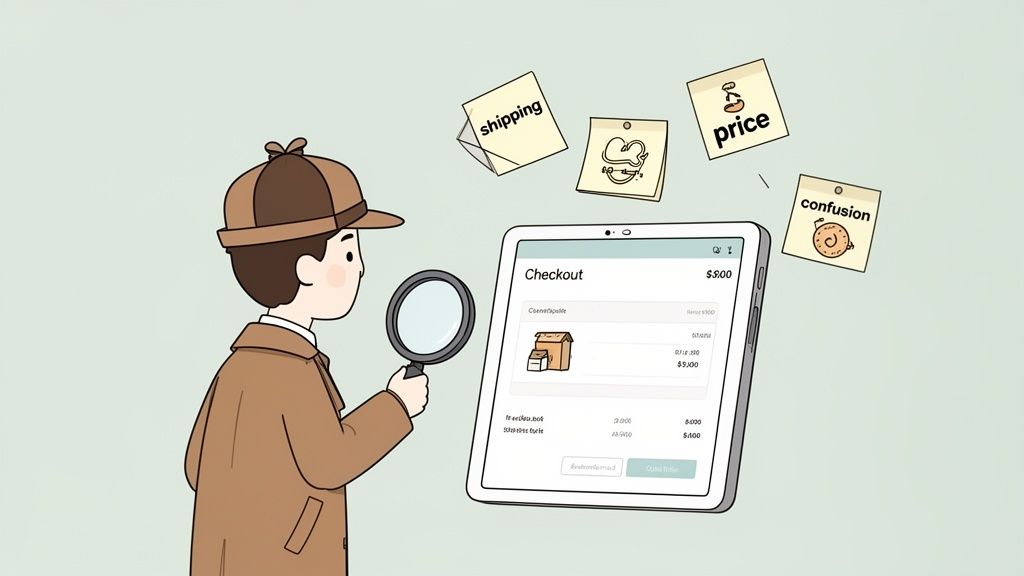
    Cartoon detective with magnifying glass analyzes e-commerce checkout issues, surrounded by sticky notes.

    Before you can patch the holes in your checkout funnel, you have to find them. To meaningfully reduce shopping cart abandonment, stop guessing and start diagnosing. This is where you put on your detective hat, gather clues, and figure out the exact friction points pushing people away.

    Your analytics dashboard is great for telling you what is happening—say, a huge drop-off between the cart and the payment page. But it’s completely silent on the why. The actionable insight comes from combining quantitative data with genuine human feedback.

    Start with Accurate Measurement

    First, you need a solid baseline. Calculating your cart abandonment rate isn’t just an academic exercise; it’s the benchmark you’ll use to measure every single improvement you make.

    The formula is straightforward:

    Cart Abandonment Rate = 1 – (Total Completed Transactions / Total Carts Created) x 100

    So, if 1,000 people add an item to their cart but only 300 actually buy it, your abandonment rate is 70%. Having this number turns that vague feeling of “losing sales” into a concrete metric you can actively improve.

    A Baymard Institute study found that 18% of shoppers bail on their carts because the checkout process is too long or complicated. Without asking your customers, you’d have no idea if that was your problem or if something else—like surprise shipping costs—was the real culprit.

    Use Surveys to Uncover the “Why”

    Once you know your numbers, it’s time to dig into the human side of the story. The most powerful way to find out why people are leaving is simple: just ask them. This is where a well-placed, non-intrusive exit-intent survey becomes your best friend.

    A smart exit survey only appears when someone signals they’re about to leave—by moving their mouse toward the back button or to close the tab. It’s your one last shot to capture a golden nugget of feedback.

    The goal is to get straight to the point with a single, relevant question that won’t annoy the user. The question should feel like it belongs, tailored to the specific page they’re on and what they were trying to do.

    Crafting the Perfect Survey Questions

    Vague questions get you vague, useless answers. For real insight, your questions must be specific and contextual.

    Here are actionable examples you can use:

    For Ecommerce Stores:

    • On the Cart Page: “What’s holding you back from completing your order today?” This is a great open-ended question that catches all sorts of issues.
    • On the Shipping Page: “Did you find our shipping options and costs fair?” This hits the #1 reason for cart abandonment head-on.
    • On the Payment Page: “Is there a payment option you were looking for but didn’t find?” This can quickly tell you if you need to add Apple Pay, Afterpay, or other popular services.

    For SaaS Companies:

    • On the Pricing Page: “Is our pricing clear? If not, what’s confusing?” This is perfect for uncovering problems with your pricing tiers or feature descriptions.
    • During Signup: “What’s the main thing stopping you from creating an account right now?” Use this to find and eliminate friction right in your onboarding flow.

    By gathering this direct feedback, you create a powerful loop that directly informs your strategy to reduce shopping cart abandonment. You’re no longer working off assumptions; you’re solving the real problems your almost-customers are telling you about. This is the foundation for making impactful changes that actually move the needle on revenue.

    Creating a Frictionless Checkout Experience

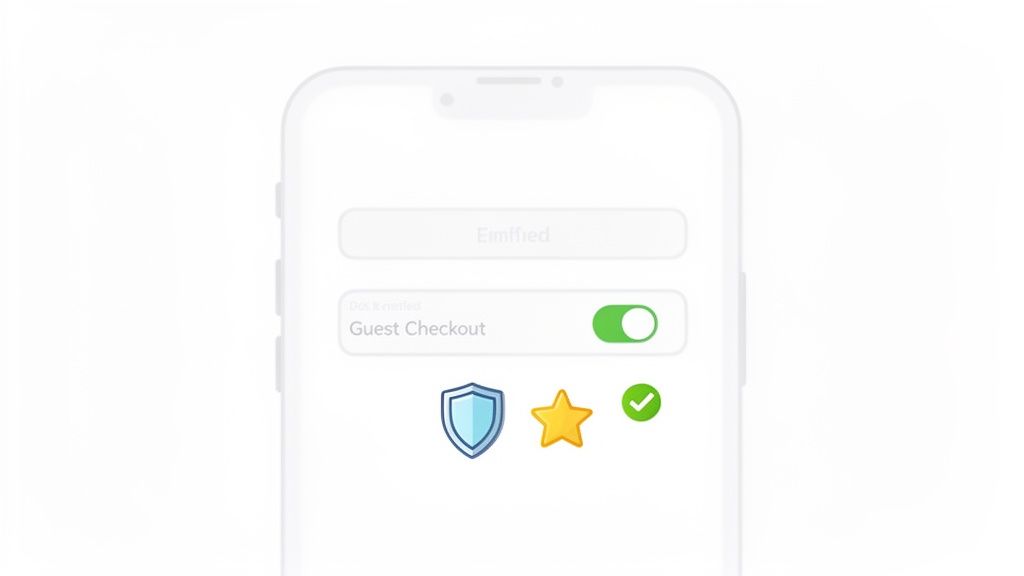
    A smartphone screen displaying a 'Guest Checkout' toggle in the ON position, along with security and rating icons.

    Alright, you’ve done the diagnostic work and have a good idea of why people are leaving. Now it’s time to fix the leaks. A smooth, confidence-inspiring checkout is your most powerful weapon to reduce shopping cart abandonment.

    Every extra click, unexpected fee, and confusing field is a potential exit ramp. Your job is to make buying from you feel completely effortless. The goal is to create a path from cart to confirmation so clean that your customers glide through without a second thought.

    Prioritize Mobile Optimization

    The modern checkout experience is overwhelmingly mobile. This is where the battle for conversions is won or lost. Mobile shopping is an abandonment minefield, with rates expected to hit 84% globally by 2026. That’s a huge jump from desktop’s 72%.

    So why the gap? It’s all about friction. Mobile web checkouts see 32% more drop-offs than native apps, and sites that take more than three seconds to load lose 44% more sales. The good news is that simple fixes make a huge difference. Adding 1-click checkout options can slash abandonment by 22%, while offering “Buy Now, Pay Later” (BNPL) can lower it by another 16%.

    Here’s how to win on mobile with ruthless simplicity:

    • Make Buttons Large and Tappable: Tiny “Continue” buttons or small radio selectors are a recipe for frustration. Make sure every interactive element is thumb-friendly.
    • Use Mobile-Native Features: This is a big one. Implement digital wallets like Apple Pay and Google Pay to let customers bypass all the tedious form-filling.
    • Test on Real Devices: Don’t just trust your browser’s “mobile view.” Test your entire checkout flow on actual iOS and Android phones to catch device-specific glitches.

    Simplify Your Forms Relentlessly

    Did you know the average checkout form has almost 15 fields? That’s roughly double what’s actually necessary. Each field is a tiny point of friction that adds up to a major barrier to purchase.

    A Baymard Institute report found that 18% of shoppers abandon carts because the checkout process is too long or complicated. Almost one in five lost sales are from a form that’s simply asking for too much.

    Go through every single field in your checkout and ask, “Is this absolutely critical to fulfill the order?”

    • Do you really need a phone number? For many businesses, the answer is no. Make it optional or remove it.
    • Combine “First Name” and “Last Name” into a single “Full Name” field. That’s one less tap for your customer.
    • Use Address Autofill: Integrate Google’s Places API to auto-populate the shipping address as the user types. This saves time and prevents typos.
    • Hide the Billing Address: If the billing address is the same as the shipping, just use a simple checkbox. When ticked, the redundant fields should disappear, making the page look shorter and less intimidating.

    Offer Guest Checkout and Build Trust

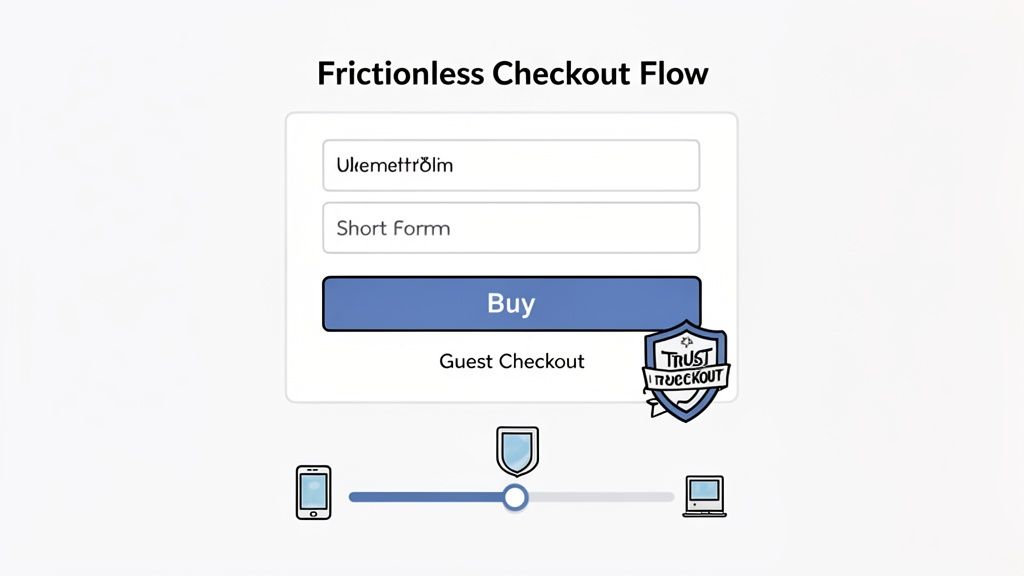
    Forcing a first-time buyer to create an account is a classic conversion killer. They don’t want a commitment; they just want to buy your product. Always, always offer a prominent guest checkout option. You can always invite them to create an account on the thank you page, right after you’ve secured their payment.

    At the same time, you must build rock-solid trust, especially at payment. Customers are on high alert when they pull out their credit cards.

    Boost their confidence with these visible trust signals:

    • Display Security Badges: Logos from McAfee, Norton, or your SSL provider matter. Over 60% of customers have bailed on a purchase because trust logos were missing.
    • Showcase Payment Options: Displaying familiar logos like Visa, Mastercard, PayPal, and Apple Pay reassures shoppers that you use standard, secure payment methods.
    • Use Social Proof: A quick testimonial or a simple line like “Join over 10,000 happy customers” right in the checkout can provide a final nudge of confidence.

    A huge part of creating this frictionless experience comes down to the layout itself. Many online stores see a major lift by consolidating their checkout process. If you’re looking for deeper insights on this, a great place to start is Mastering One Page Checkout. When you put all these pieces together, you turn hesitant browsers into confident buyers.

    Using Real-Time Offers to Save the Sale

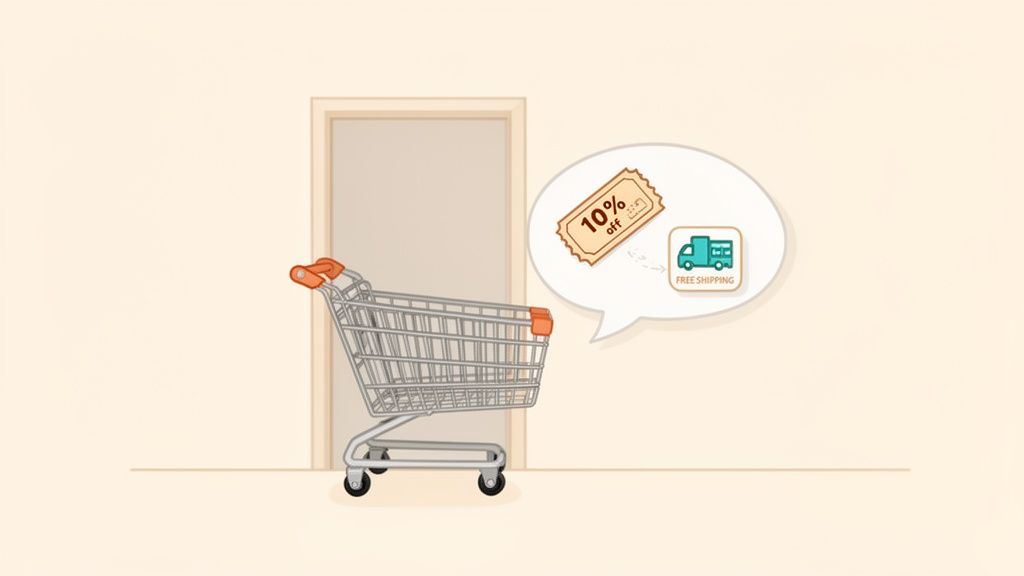
    A shopping cart next to a door, with a speech bubble showing 10% off coupon and free shipping.

    What if you could jump in with the perfect offer right as a customer starts to second-guess their purchase? That’s what real-time engagement is all about. Instead of just cleaning up your checkout flow and hoping for the best, you can step in to reduce shopping cart abandonment before it happens.

    This isn’t about hitting every visitor with a generic, annoying pop-up. It’s about using smart triggers to deliver a helpful, relevant incentive at the exact moment of doubt. Think of it as a well-timed assist that turns a hesitant “maybe” into a confident “yes.”

    How Exit-Intent Technology Works

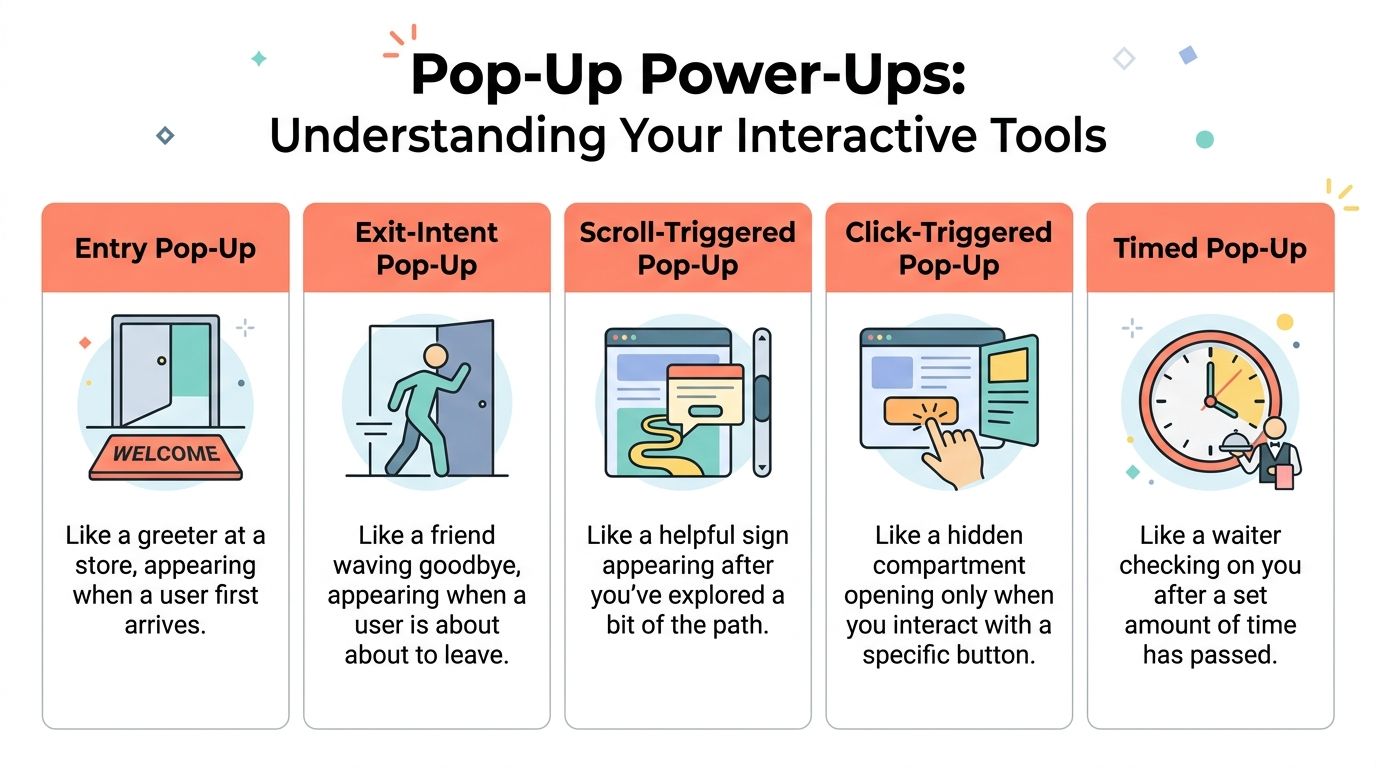
    The secret sauce here is exit-intent technology. This software tracks a visitor’s mouse movements and speed, predicting when they’re about to leave—like when their cursor makes a beeline for the back button or the ‘X’ on the browser tab. That’s your cue.

    This is your final shot to overcome an unspoken objection. Maybe the final price was a bit higher than they anticipated, or they’re on the fence because of shipping costs. A well-timed offer can be the exact nudge they need to get over that last hurdle and click “Complete Purchase.”

    Exit-intent pop-ups are your front line of defense, turning window shoppers into paying customers. By presenting an offer—like a small discount or free shipping—you create just enough urgency to convince someone to stick around and finish what they started.

    Crafting Offers That Actually Help (and Don’t Annoy)

    The key to getting this right is context. A generic “10% Off!” pop-up might catch a few people, but the real magic happens when your offer directly addresses the user’s behavior. This makes it feel less like a desperate sales tactic and more like a helpful hand.

    Here are actionable examples that work:

    • The Shipping Cost Sticker Shock: A customer loads up their cart, heads to checkout, then freezes on the shipping page. An exit-intent rule can trigger a banner offering free shipping. This solves the exact problem that caused them to hesitate.
    • The High-Value Cart Cold Feet: Someone has a cart over $200 but seems hesitant to commit. You can set up an offer that only appears for carts over a certain value, giving them a $20 discount. It’s a great way to reward a big purchase and make the price feel more manageable.
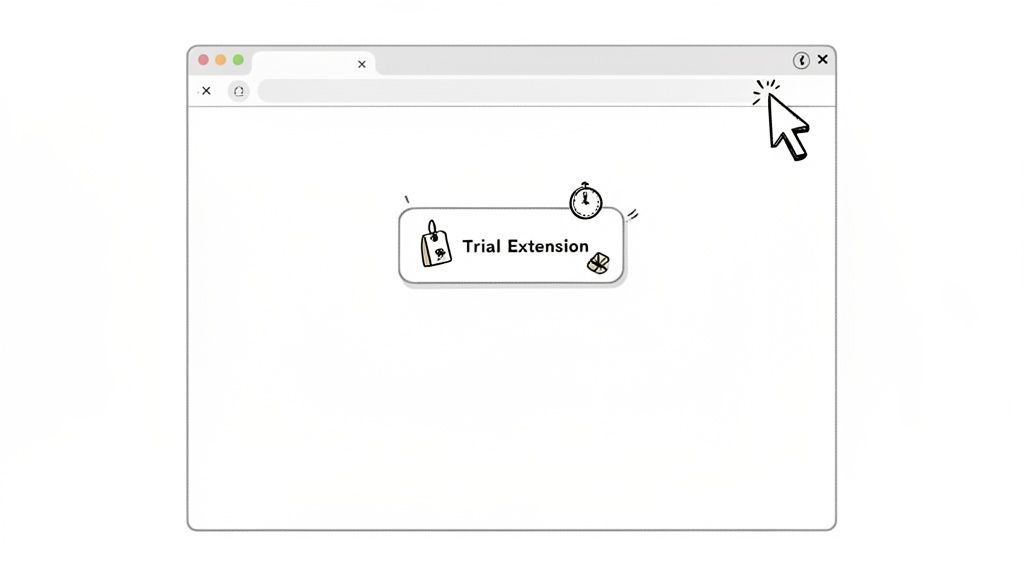
    • The SaaS Trial Timer: For SaaS businesses, the “cart” is the sign-up or upgrade page. If a user is on your pricing page and about to leave, you can trigger an exit-intent offer for a 14-day extension on their free trial. This gives them more time to see your product’s value firsthand.

    This is where you can use automation tools to set up rules that respond to specific behaviors, like a user abandoning their cart.

    With the right setup, you can clearly connect specific triggers—like a visitor leaving the cart page—to automated actions, like sending them a targeted offer to win them back.

    Automate the Save for Maximum Impact

    You can’t manually watch every single visitor. The true power here comes from smart automation. By using a platform like Receiver, you can create these “if-then” rules once and let them run 24/7, catching sales you would have otherwise lost.

    Here’s how to set up these automated interventions:

    1. Pinpoint the Trigger: What specific action signals a high risk of abandonment? It could be lingering on the shipping page, having a high-value cart, or visiting the pricing page multiple times without converting.
    2. Define the Offer: What’s a compelling incentive that solves their likely problem? Think discounts, free shipping, a trial extension, or even a link to a super-helpful FAQ page that answers common questions.
    3. Set the Conditions: Make sure your offer only shows up for the right people. You don’t want to hand out discounts to customers who were going to buy anyway. Use conditions like cart value, the specific URL they’re on, or where they came from to target your offers with surgical precision.

    By putting these moments on autopilot, you build a system that consistently recovers revenue. It’s a proactive strategy that not only helps reduce shopping cart abandonment but also makes the customer experience better by offering help right when it’s needed most.

    Winning Back Customers After They’ve Left

    Two figures reaching out to each other

    So, they’ve left your site without buying. It happens. But don’t write off that sale yet. What you do after a visitor leaves is often where the real magic happens in cutting down your cart abandonment rate.

    This isn’t about sending a generic, one-size-fits-all “You left something!” message. It’s about having a smart, automated follow-up system that re-engages shoppers with the right message at the right time, using everything from email and SMS to well-placed ads.

    Crafting Abandoned Cart Emails That Actually Convert

    Once someone leaves your checkout, the clock is ticking. You’ve got a golden window—usually about an hour—to get in touch while your store and products are still fresh in their mind. This first email is critical.

    Abandoned cart emails have an open rate that can top 40%. That’s worlds away from your standard marketing newsletter. But getting the open is just the first step; the message inside has to do the heavy lifting.

    The Perfect Three-Part Email Sequence

    One email is a start, but a well-timed sequence is what really moves the needle. It lets you tackle different reasons for abandonment without being pushy. Here’s an actionable flow you can implement:

    1. The Friendly Nudge (Send within 1 hour): Keep this first one simple and helpful. Think of it as a customer service touchpoint, not a hard sell. Maybe their connection dropped, or the kids started screaming. A low-pressure subject line like, “Did you forget something?” or “Your cart is waiting for you” is perfect. The only goal here is to make it easy for them to get back.

    2. Handling the Hesitation (Send 24 hours later): If they didn’t come back, there’s likely a specific objection holding them back. This is your chance to address it. Are shipping costs a common complaint? Remind them about your free shipping threshold. Worried about returns? Highlight your “no-questions-asked” policy. Sprinkling in some social proof, like a few glowing reviews for the items in their cart, can work wonders here.

    3. The Final Offer (Send 3 days later): This is the last-chance saloon. If they’re still on the fence, a little nudge might be all it takes. Consider a small, time-sensitive offer like 10% off or free shipping. Urgency is key. But a word of caution: don’t overdo this. You don’t want to train your customers to abandon carts just to snag a discount. Test it carefully and watch your margins.

    Pro tip: Personalization is everything. A study found that adding the customer’s name to the subject line can push open rates over 46%. Including the product name can hit 44%. Small tweaks, big impact.

    Reaching Customers Instantly with SMS Recovery

    Email is the reliable workhorse of cart recovery, but SMS is your ace in the hole for immediate engagement. With open rates often clearing 90%—most within minutes of delivery—it’s the perfect channel for a quick, timely prompt.

    The key to SMS is to be brief and direct. Always, always include a link that takes them straight back to their pre-filled cart. One tap, and they’re right back where they left off.

    • A solid SMS example: “Hey [Name], looks like you left the [Product Name] in your cart at [Your Store]. It’s still waiting for you! Finish your order here: [Direct Cart Link]”

    Winning Them Back with Laser-Focused Retargeting Ads

    Your recovery plan shouldn’t stop at their inbox. Retargeting ads on platforms like Facebook and Instagram are brilliant for keeping your brand top-of-mind while abandoners are scrolling through their feeds.

    You already know exactly what they wanted to buy, so you can serve them incredibly relevant ads. Dynamic product ads are fantastic for this, as they automatically show the very items the person left behind.

    Then, you tie it all together. Let’s say your second email talked up your easy return policy. Your retargeting ad copy could echo that: “Still thinking it over? Remember, we offer 30-day, no-questions-asked returns. Shop with confidence!” This creates a consistent story across multiple channels, building trust and making it incredibly simple for them to click back and finally check out.

    How to Measure Your Success and Prove ROI

    You’ve rolled out your exit-intent offers, streamlined the checkout, and your new email flows are live. Now for the million-dollar question: is any of it actually working? To truly reduce shopping cart abandonment, you have to move beyond gut feelings and start measuring your success with cold, hard numbers.

    This is where the rubber meets the road—connecting your actions directly to revenue. Proving the return on investment (ROI) isn’t just about making your boss happy. It’s about getting the clarity you need to double down on what’s working and cut what isn’t.

    Using A/B Testing to Find Your Winners

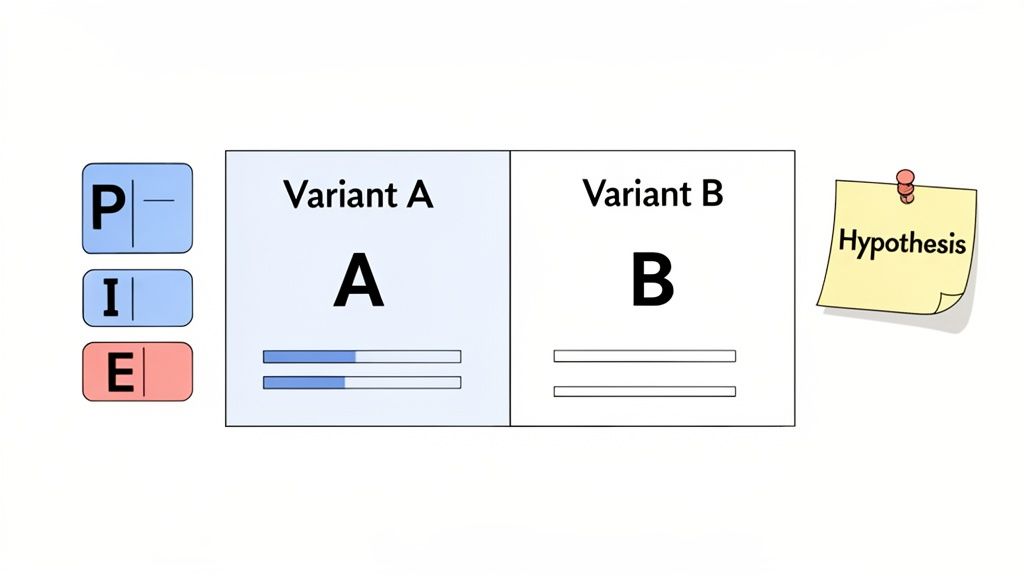
    Not every change you make will be a home run. That’s why A/B testing needs to be your best friend. It’s the only scientific way to compare different strategies and see what your audience genuinely responds to.

    Instead of just guessing what might work, you can test specific variables to find a clear winner. Start with a simple hypothesis based on the data you’ve gathered or the customer feedback you’ve read.

    Here are a few A/B test ideas to run now:

    • The Offer: Test a 10% discount against a free shipping offer. Your hypothesis might be that for your customers, the psychology of “free” is a bigger draw than a small percentage off.
    • The Email Subject: Pit an urgent subject line (“Your cart is about to expire!”) against a helpful one (“Did you have trouble checking out?”).
    • The Button Text: Don’t underestimate the small stuff. Try testing “Complete Purchase” against “Secure Checkout” to see which phrase builds more confidence and drives more clicks.

    Running controlled experiments like these lets your customers vote with their clicks. It ensures your efforts are guided by real data, not just assumptions.

    A critical piece of the puzzle is attributing sales correctly. When you run a test, you need to know without a doubt which version—A or B—led to the recovered sale. This is where a tool like Receiver is invaluable, as it connects the dots between the specific offer a user saw and their eventual purchase.

    Calculating the Real Revenue Impact

    At the end of the day, success comes down to the revenue you’ve recovered. When you can put a dollar amount on your work, its impact becomes undeniable. You can start with just a few key metrics to paint a clear picture.

    For instance, simply tracking “Revenue Recovered from Abandonment” shows the direct financial gain from your entire strategy. This isn’t a vanity metric; it’s the bottom-line result that proves your work is paying off.

    To make this tangible, use this framework to quantify the revenue recovered from your cart abandonment initiatives.

    Calculating the Impact of Your Abandonment Strategy

    Metric to TrackSimple FormulaExample Calculation
    Recovery Rate(Carts Recovered / Total Carts Abandoned) x 100(150 Carts Recovered / 1,000 Carts Abandoned) x 100 = 15% Recovery Rate
    Recovered RevenueNumber of Carts Recovered x Average Order Value (AOV)150 Carts x $80 AOV = $12,000 Recovered Revenue
    ROI((Recovered Revenue – Cost of Tools/Campaign) / Cost) x 100(($12,000 – $500) / $500) x 100 = 2,300% ROI

    This kind of simple analysis transforms your role. You're no longer just someone who "fixes the website"—you become a key driver of business growth. By tracking these numbers, you can confidently report on your success and make data-backed decisions on where to invest your time and budget next.

    A Few Common Questions We Hear

    As you start digging into how to reduce shopping cart abandonment, a few questions inevitably pop up. Here are the straight answers I give to founders and marketers, so you can get right back to recovering lost revenue.

    How Quickly Can I See Results From These Strategies?

    Honestly, some of these fixes start working almost instantly.

    A few tactics are incredibly fast. Slap a real-time exit-intent offer, like a free shipping banner, on your site, and you could be saving sales within a few hours. Other on-site improvements, like simplifying your checkout form or adding a guest option, often show a measurable lift in your conversion rate within the first week.

    Of course, some strategies are more of a long game. Building out a thoughtful, multi-part abandoned cart email sequence will show its true value as it runs and you collect more data. The key is using a tool that gives you real-time feedback from day one, so you can spot your winners early.

    What Is a Good Shopping Cart Abandonment Rate to Aim For?

    This is a big one. While you'll see stats floating around that the industry average is a scary 70%, a "good" rate really depends on your market, your products, and who you're selling to. Chasing a universal number is a distraction.

    Instead, focus on your number.

    If your current abandonment rate is 80%, setting a goal to get it down to 75% is a huge, achievable win. That small percentage drop goes straight to your bottom line.

    A high-volume fashion store will naturally have a higher abandonment rate than, say, a B2B SaaS company selling to a handful of qualified leads. The goal is a consistent downward trend in your own analytics. Even a 5% reduction is a massive victory worth celebrating.

    Should I Force Users to Create an Account to Check Out?

    For almost every ecommerce store, the answer is a hard no. Don't do it.

    Making someone create an account is one of the biggest conversion killers out there. It’s pure friction, thrown in their path right when they’re ready to give you money.

    Always, always offer a prominent "Guest Checkout" option. It’s the single best way to respect a customer’s time and get the sale over the line. If you want them to create an account, prompt them after the purchase is complete. You can frame it as a benefit—"Create an account to easily track your order!"—when the pressure is off.

    For subscription or SaaS businesses where an account is a must, your job is to make signing up completely painless. Ask for the absolute bare minimum and offer social logins to speed things up.


    Ready to turn more of your hard-earned traffic into paying customers? Receiver gives you the tools to understand why visitors leave and the power to win them back automatically. Start your timeless trial and see the revenue you can recover.

  • Mastering The Exit Intent Popup To Win Back Visitors

    Mastering The Exit Intent Popup To Win Back Visitors

    Ever had a visitor on your site, seconds away from leaving, only to be won back by the perfect offer? That’s the power of a well-executed exit intent popup. It’s your last, best chance to convert a visitor before they click away for good. This guide provides actionable steps to turn those departing visitors into customers, subscribers, and valuable sources of feedback.

    What Is An Exit Intent Popup And How Does It Work

    An exit intent popup is a smart marketing tool that detects when a user is about to leave your website and presents them with a targeted message. This isn’t just another popup; it’s a strategic final touchpoint.

    Pictures of different types of exit intent popup offerings

    The technology behind it is straightforward. On desktop, it tracks mouse velocity and direction. When a user’s cursor moves rapidly towards the top of the browser—aiming for the close button, a new tab, or the back button—the software triggers the popup. On mobile, it relies on behaviors like rapid scrolling up or hitting the back button.

    The Magic Is In The Timing

    The effectiveness of an exit intent popup lies in its timing. It appears at the exact moment a visitor disengages, creating a final opportunity to re-engage them. Instead of interrupting their browsing, it acts as a helpful last-ditch effort.

    Here are three actionable ways you can use this moment to your advantage:

    • Save a sale: Implement a popup on your checkout page that offers free shipping or a 10% discount to users abandoning their cart. This directly addresses one of the top reasons for cart abandonment.
    • Grow your email list: On a blog post, offer a relevant resource like a downloadable checklist or an exclusive video in exchange for an email. This captures high-intent leads.
    • Get priceless feedback: Trigger a one-question survey on your pricing or cancellation page asking why a visitor is leaving. Use this data to improve your offerings.

    Actionable Tip: Frame your popup offer as a helpful solution to a problem. A discount on the checkout page solves a price hesitation; a checklist on a blog post provides a next step. This shifts the perception from an ad to a helpful suggestion.

    For a quick overview, here’s a look at the essentials.

    Exit Intent Popup At A Glance

    AspectDescriptionKey Metric
    ConceptA popup triggered when a user shows intent to leave a website.Visitor Abandonment Rate
    GoalTo re-engage the visitor with a relevant offer and prevent them from leaving.Conversion Rate
    PerformanceCan recover 10-15% of visitors who would have otherwise left for good.Leads Captured / Sales Recovered

    This simple tool has become a go-to for marketers for a good reason—it works.

    Proven Performance And Potential

    Exit intent popups have been a staple in conversion optimization since they first gained traction around 2012. Why? Because the numbers don’t lie. On average, they can bring back 10-15% of abandoning visitors.

    While a solid baseline conversion rate for these popups is around 3.09%, the best ones do much, much better. Highly targeted campaigns with compelling offers can see conversion rates soar to 15-25% or even higher. It all comes down to presenting the right offer to the right person. Someone leaving a product page might love a discount, while a visitor leaving a blog post might prefer a related ebook.

    To dive deeper into the tactics that drive these results, exploring expert guides on Exit Intent Popup Strategies is a great next step. This approach is all about turning a potential loss into a happy new customer or a valuable lead for the future.

    So, What Can Exit Popups Actually Do For You?

    Let’s move from theory to practical application. A smart exit intent popup is your last line of defense against lost revenue and missed opportunities. It’s a proactive tool that can solve some of the most persistent challenges for online businesses, like cart abandonment and low lead capture rates.

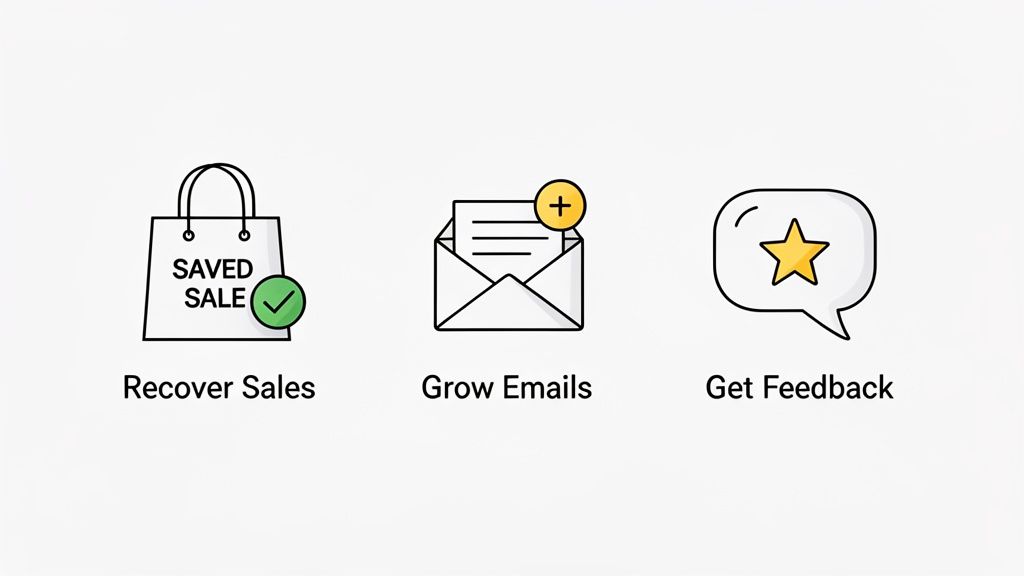
    Three icons representing marketing strategies: recover sales, grow emails, and get feedback.

    When implemented correctly, exit popups deliver tangible results. Here are the three primary actions you can drive with them.

    Recover Sales You Would Have Lost

    This is the most direct and financially rewarding use of an exit popup. Every visitor who leaves with items in their cart represents lost revenue. An exit popup is your final opportunity to intervene.

    Actionable Insight: Unexpected shipping costs are the #1 reason for cart abandonment. Set up an exit popup that triggers exclusively on your checkout page when a user tries to leave. The offer? “Wait! Get Free Shipping On This Order.” This directly counters their objection and can instantly save the sale.

    For SaaS companies, the same logic applies. If a user hesitates on your pricing page, a well-timed popup offering a 14-day extended trial or a free one-on-one demo can provide the reassurance they need to convert.

    Grow Your Email List (With People Who Actually Care)

    Building a quality email list means attracting subscribers who are genuinely interested in your content. Exit popups excel at this by capturing leads at their peak moment of engagement.

    Actionable Insight: Identify your most popular blog posts. On these pages, set up an exit popup that offers a “content upgrade”—a resource that complements the article. For instance, if the article is about “10 Time-Saving Tips,” offer a “Free Productivity Checklist.” This targeted approach yields higher-quality subscribers than a generic “Join our newsletter” form.

    By matching your offer to what the visitor was just doing, you attract subscribers who are genuinely invested in your topic. This naturally leads to better open rates, more clicks, and an email strategy that actually works.

    The numbers don’t lie. In the tough worlds of ecommerce and SaaS, exit-intent popups used for cart abandonment see an average conversion rate of 17.12%. That blows most general popups out of the water and proves their power to not just grab an email, but to save a sale. You can check out more data on popup performance to see how these stats compare.

    Get Honest Feedback You Can Actually Use

    One of the most powerful—and often overlooked—uses for exit popups is gathering unfiltered customer feedback. By understanding why people leave, you get an actionable roadmap for improving your website and product.

    Here’s how to implement it:

    • For Ecommerce: On the cart page, trigger a one-question survey for abandoning visitors: “What’s stopping you from buying today?” with options like “Price,” “Shipping Costs,” or “Trust Concerns.” Use these answers to prioritize site improvements.
    • For SaaS: On the subscription cancellation page, use an exit survey: “What could we do differently to convince you to stay?” This feedback is invaluable for reducing churn and guiding your product development.

    This strategy transforms a negative event (a user leaving) into a positive learning opportunity. You get a final chance to win them back and collect data to improve the experience for all future visitors.

    Creative Exit Intent Popup Examples That Actually Convert

    A generic “Join Our Newsletter” popup is a wasted opportunity. To be effective, an exit intent popup must present an offer so relevant it stops the visitor in their tracks. The best popups are tailored to a specific goal: saving a sale, capturing a lead, or gathering feedback.

    Online shopping interface with 30% discount offer

    Here are three actionable strategies, broken down by objective, that you can implement on your site today.

    Goal 1: Close The Sale With A Strategic Incentive

    For an ecommerce store, every abandoned cart is a direct hit to the bottom line. Instead of a generic coupon, create a targeted offer that feels both personal and urgent.

    Actionable Insight: Target first-time visitors who abandon a cart over a specific value (e.g., $75). When they move to exit, trigger a popup with this message: “Wait! As a new customer, take 15% OFF your first order. Complete your purchase now.” This tactic works by:

    1. Personalizing the offer (“As a new customer”).
    2. Incentivizing a higher order value.
    3. Creating urgency to complete the purchase immediately.

    You’re doing more than just offering a coupon. You’re giving them a specific, compelling reason to overcome their last-second hesitation and validating their decision to shop with you.

    Goal 2: Generate Leads With An Irresistible Resource

    For SaaS and content-driven sites, lead generation is paramount. Don’t just ask for an email—earn it by offering something of tangible value that directly relates to the content they’re leaving.

    Actionable Insight: A visitor just read your guide on team productivity. As they move to exit, offer a “Free Productivity Cheatsheet.” It’s a logical next step, not an interruption.

    The most effective lead magnets are practical tools users can apply immediately:

    • Checklists or templates that help them put your advice into action.
    • Exclusive video guides that go deeper than the blog post.
    • Free calculators or diagnostic tools that solve a specific problem.

    With this tactic, you’re not just getting an email. You’re turning a casual reader into a qualified lead who sees you as a valuable expert.

    Goal 3: Guide Users And Gather Feedback

    Sometimes, the best offer is an offer of help. This strategy is perfect for complex product pages, pricing tables, or SaaS cancellation flows. The goal is to start a conversation and resolve friction.

    Actionable Insight: On your pricing page, if a user spends more than 60 seconds and then tries to leave, trigger a popup that asks, “Have questions about our plans? Chat with an expert now.” This simple question can initiate a conversation that leads directly to a sale.

    Another powerful tactic is the conditional exit survey. On the subscription cancellation page, ask: “What’s the main reason you’re canceling?” If the user selects “It’s too expensive,” you can instantly present a follow-up offer: “How about 30% off for 3 months?”

    Exit Intent Use Case By Business Goal

    To make this crystal clear, here’s a breakdown of how different goals translate into practical use cases for both ecommerce and SaaS, and how you could set them up with a tool like Receiver.

    Business Goal Ecommerce Use Case SaaS Use Case Receiver Implementation
    Close Sales Offer free shipping or a 10% discount to users abandoning a high-value cart. Provide a limited-time discount on an annual plan for users leaving the pricing page. Trigger a smart incentive based on cart contents or time spent on the pricing page.
    Generate Leads Offer a "Style Guide" PDF to visitors leaving a fashion category page. Offer a free setup checklist to users leaving a "Getting Started" guide or help document. Use a targeted survey to offer a downloadable asset based on the visitor’s browsing history.
    Guide Users Show a "Find Your Perfect Fit" quiz popup on product pages with high bounce rates. Ask a one-question survey on the cancellation page to understand churn reasons. Deploy SurveyPilot to ask "Why are you leaving?" and offer a retention incentive.

    By aligning your exit intent popup with a clear business goal and the visitor’s specific context, you stop being intrusive and start being helpful. This simple shift turns a moment of potential loss into a massive opportunity for conversion and connection.

    Actionable Best Practices For Timing And Targeting

    The difference between a high-converting exit intent popup and an annoying one comes down to context. Smart timing and targeting make your offer feel like a helpful suggestion rather than a disruptive ad. This is how you convert abandoning visitors into customers.

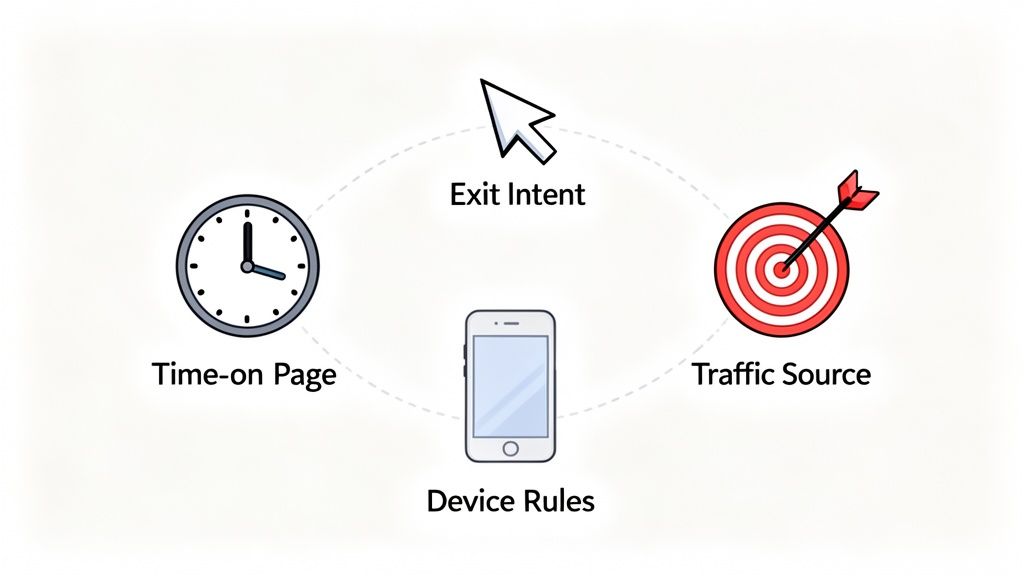
    Diagram illustrating key factors for web engagement: time on page, exit intent, traffic source, and device rules.

    Here are actionable rules you can apply to make your popups smarter and more effective.

    Start With Page-Specific Offers

    A one-size-fits-all popup is a major missed opportunity. The page a visitor is on reveals their intent. Match your offer to that context for an easy win.

    • On a Blog Post: Don’t ask for a sale. Offer a related content upgrade, like a free checklist or an in-depth eBook on the same topic.
    • On a Product Page: Trigger a small discount, a free shipping offer, or a “notify me when back in stock” form for sold-out items.
    • On a Pricing Page: This is your moment to be direct. Offer a personalized demo, an extended trial, or a limited-time introductory rate.

    Target Based On Traffic Source

    Knowing where a visitor came from gives you a powerful clue about their mindset. Tailor your exit offer to their referral source to create a more personalized experience.

    Actionable Insight: A visitor from a Facebook ad is likely new to your brand. Create a specific exit popup for this segment that reinforces the ad’s message and includes a “welcome” discount. A visitor from an organic search, however, might be looking for information. Offer them a relevant case study or guide.

    When you segment offers by traffic source, you’re acknowledging how the visitor found you. It makes the entire experience feel connected and your offer feel more exclusive.

    For example, if someone lands on your site from a popular review blog, they’re likely in the final stages of making a decision. An exit popup highlighting customer testimonials or an industry award could be the final nudge they need to commit.

    Implement Device-Specific Rules

    A popup that works on desktop can be a disaster on mobile. You must adapt your strategy for smaller screens and different user behaviors.

    Standard cursor-based exit intent doesn’t work on mobile. Instead, use these triggers:

    • Back-Button Taps: Trigger a popup when a user taps the “back” button on a critical page, like checkout.
    • Rapid Up-Scrolling: Sense when a user scrolls quickly to the top of the page, a clear sign they’re about to leave.
    • Tab Switching: For Android users, you can sometimes trigger an offer when they switch to another browser tab.

    This level of device-specific control ensures your popups are helpful, not intrusive, and avoids potential penalties from Google for aggressive mobile interstitials.

    Use Advanced Behavioral Triggers

    Layer behavioral triggers to distinguish casual browsers from engaged prospects. This allows you to save your best offers for those most likely to convert.

    • Time on Page: Reserve your most valuable offers for visitors who have spent a significant amount of time (e.g., over 60 seconds) on a key page.
    • Scroll Depth: If a visitor has scrolled 75% down a long sales page, they are highly engaged. This is a perfect moment to present a strong CTA before they leave.
    • Visit Frequency: Show a “welcome” discount to first-time visitors. For returning visitors, offer a loyalty reward or early access to a new product.

    By combining these tactics, you can create highly effective campaigns. For example, show a high-value discount only to first-time visitors who came from a paid ad, spent over a minute on the pricing page, and scrolled at least 50% down before trying to leave. That’s how you put your best offers in front of the people most likely to convert, maximizing your ROI while delivering a relevant, perfectly timed message.

    How to A/B Test Your Popups for Maximum Impact

    Launching an exit-intent popup is just the first step. To unlock its true potential, you must move from guessing to data-driven optimization through A/B testing. This process transforms your popup from a simple feature into a reliable growth engine.

    A/B testing, or split testing, involves creating two versions of your popup (an ‘A’ and a ‘B’) and showing them to different segments of your audience to see which one performs better.

    Key Metrics You Must Track

    To run meaningful tests, focus on metrics that directly impact your business goals.

    • View Rate: The percentage of eligible visitors who see the popup. A low rate may indicate your trigger rules are too strict.
    • Conversion Rate: The percentage of viewers who take the desired action (e.g., submit an email, use a discount). This is the primary indicator of your offer’s effectiveness.
    • Direct Revenue Impact: For ecommerce, this tracks the actual sales generated from your popup’s discount codes, providing a clear ROI.

    A real-time dashboard is essential for monitoring these metrics and making quick, informed decisions.

    This immediate feedback loop is priceless. You can quickly see which offers are hitting the mark and how much revenue they’re recovering for you.

    A Framework for Effective A/B Testing

    A structured approach is necessary for reliable results. Before you start, ensure you have the right tools by choosing the right A/B test platform to guarantee clean data.

    Follow this simple, repeatable process:

    1. Formulate a Hypothesis: Start with a specific, testable idea. For example: “I believe changing the headline from ‘Join Our Newsletter’ to ‘Get 15% Off Your First Order’ will increase conversions because it offers immediate, tangible value.”
    2. Isolate One Variable: Test only one element at a time. If you change the headline, the offer, and the button color simultaneously, you won’t know which change caused the result.
    3. Run the Test to Statistical Significance: Be patient. Don’t end a test prematurely. Most testing tools will notify you when you have collected enough data to declare a statistically significant winner.

    Key Insight: A structured testing process takes the guesswork out of optimization. It’s about making small, data-backed changes that add up to massive improvements over time.

    Elements to Test for Big Wins

    Not sure where to start? Focus on the elements that have the most significant impact on conversion rates.

    Here is an actionable checklist of high-impact variables to test:

    • The Offer: This is your most powerful lever. Test a percentage discount vs. a fixed dollar amount, free shipping vs. a free gift, or a downloadable guide vs. an interactive quiz.
    • The Headline: Your first impression. Test a direct question (“Confused by our pricing?”), an urgent statement (“Wait! Your 15% off coupon expires soon”), or a benefit-driven phrase (“Unlock Your Free Guide”).
    • The Call-to-Action (CTA): Test specific, action-oriented button text like “Claim My Discount” against a generic “Submit.” Also, experiment with button color and size to see what draws the most clicks.
    • The Visuals: Test a popup with a relevant product image or a customer photo against a text-only version.
    • The Copy: Brevity is key. Test short, punchy copy against a slightly longer version that provides more context or overcomes a specific objection.

    By systematically testing these elements, you will gain a deep understanding of what motivates your audience, allowing you to turn more abandoning visitors into loyal customers.

    Your Step-By-Step Exit Intent Popup Strategy

    Let’s translate theory into action. This section provides a step-by-step guide to building an exit intent strategy from scratch for two common scenarios: an ecommerce store recovering a sale and a SaaS company reducing churn.

    The goal is to create a smart, automated system that uses data and targeted offers to transform leaving visitors into positive outcomes.

    Ecommerce Scenario: The Cart Recovery Offer

    Abandoned carts are a major source of lost revenue for online stores. This strategy uses a laser-focused exit intent popup to stop last-minute hesitation and save the sale.

    The Goal: Recover sales from shoppers who are about to abandon a cart worth more than $100.

    The Strategy:

    1. Define the Trigger: Set the popup to fire only when a user with items in their cart attempts to leave the checkout page. Add a condition: the cart value must be over $100. This reserves your best offers for high-value customers.
    2. Craft the Offer: Create urgency with a time-sensitive discount. Use clear language: “Wait! Get 15% OFF your order. Complete your purchase in the next 10 minutes to lock in your discount.”
    3. Implement the Workflow: In your conversion tool, create a new popup. Set the trigger to “exit intent” and add a targeting condition for “cart value greater than 100” and “URL is checkout page.”
    4. Design the Popup: Use a strong headline, bold the discount, and include a countdown timer. The CTA button should be compelling, such as “Claim My 15% Discount.”
    5. Track the Results: Ensure your analytics can track the usage of the unique discount code. This directly attributes recovered revenue to your popup and proves its ROI.

    SaaS Scenario: The Churn Reduction Survey

    For a SaaS business, understanding why customers cancel is critical for long-term growth. This strategy uses an exit survey to gather feedback and actively retain customers.

    The Goal: Understand cancellation reasons and retain users who are on the “Cancel Subscription” page.

    This approach flips a negative moment—a customer canceling—into a chance to learn or even win them back. You either get priceless feedback to improve your product, or you keep a customer you were seconds away from losing.

    The Strategy:

    1. Define the Trigger: Set the popup to appear on exit intent, but only on your subscription cancellation page. This is the critical moment to intervene.
    2. Deploy a Quick Survey: Use a simple, one-question survey: “What’s the main reason you’re canceling?” Provide clear, multiple-choice options like “It’s too expensive,” “Missing a key feature,” or “I’m not using it enough.”
    3. Create a Conditional Offer: This is the smart part. Set up an automation rule: if a user selects “It’s too expensive,” instantly display a targeted retention offer: “We understand. How about 30% off for the next 3 months?”
    4. Automate the Save: If they accept the offer, the discount can be applied to their account automatically. If they decline, you have still captured crucial feedback data for your product team.

    Platforms like Receiver are built for this. They let you create these kinds of automated workflows right inside their dashboard, seamlessly connecting a user’s action (like clicking a survey response) to a specific, targeted offer.

    By creating a unified strategy like this, you can get much more out of the traffic you already have. You’re not just throwing up a generic popup; you’re having a smart, targeted conversation that can have a direct and measurable impact on your bottom line.

    A Few Lingering Questions

    Even with a solid plan, some common questions often arise. Let’s address them so you can implement your exit intent strategy with confidence.

    Will An Exit Intent Popup Wreck My SEO Ranking?

    No—a properly implemented exit intent popup will not harm your SEO. Google’s penalties target “intrusive interstitials,” which are popups that block content immediately upon arrival from a search result, especially on mobile. An exit intent popup is different because it only appears when the user is already leaving. It doesn’t disrupt the initial user experience, so it complies with Google’s guidelines.

    How Do I Keep My Popups From Being Annoying?

    The key to creating popups people don’t hate is to make them relevant and helpful. Annoyance comes from irrelevant interruptions, not the popup itself.

    Follow these simple rules:

    • Context is Everything: Match the offer to the page. Free shipping on the checkout page is helpful. Free shipping on a blog post is confusing.
    • Don’t Be Clingy: Use frequency caps (cookies) to control how often a visitor sees a popup. Limit it to once per session or once every few days.
    • Keep It Simple: The visitor must understand the offer in a split second. Use a clear headline, concise copy, and an obvious way to accept or close the popup.

    Are Popups Even Effective On Mobile?

    Yes, but they require a different approach. On mobile, there is no mouse cursor to track, so exit intent is triggered by actions like tapping the back button, scrolling up quickly, or switching tabs.

    Actionable Insight: The key to mobile success is to use less intrusive formats. Avoid full-screen takeovers, which are frustrating and penalized by Google. Instead, use slide-in banners or small bars at the top or bottom of the screen that deliver the message without blocking the entire page.

    What’s A Good Conversion Rate For An Exit Popup?

    While the industry average for all popups is 3-5%, you should aim higher for exit-intent popups due to their timely and contextual nature.

    A conversion rate between 5% and 10% is a great initial goal for a well-targeted campaign.

    But don’t stop there. Top-tier campaigns, especially for cart abandonment, can achieve conversion rates of 15% or higher. The path to these numbers is continuous A/B testing. Systematically tweak your headline, offer, and design to discover what resonates with your audience and steadily increase your baseline performance.


    Ready to turn those abandoning visitors into loyal customers? With Receiver, you can launch smart exit-intent surveys and offers that feel helpful, not intrusive. Find out why visitors are leaving and automatically give them the perfect reason to stay. Start your Timeless Trial and see the results for yourself.