Tag: exit intent

  • Pop Up Window Guide: From Annoyance to Revenue Asset

    Pop Up Window Guide: From Annoyance to Revenue Asset

    Most pop up window advice is too polite.

    It says things like “use them sparingly” or “make them look nice,” which is not wrong, but it misses the core issue. Pop-ups fail when teams treat them as decoration or desperation. They work when teams treat them like timed interventions tied to intent.

    That distinction matters. A pop up window is not just a box on a page. It is a moment where you ask for an action, capture an objection, recover a sale, or qualify a lead before the visitor disappears. If the message is irrelevant, the timing is off, or the form feels like paperwork, people close it instantly. If the message matches what the visitor is trying to do, it can become one of the most impactful assets on the site.

    For SaaS and ecommerce teams, the opportunity is bigger than list growth. Pop-ups can support trial starts, plan selection, cart recovery, referral capture, objection mining, and channel attribution. In practice, that means more than “getting attention.” It means using on-site behavior to influence revenue while the visit is still live.

    Why Pop Up Windows Get a Bad Rap and Why They Still Work

    Pop-ups deserved their bad reputation.

    Early versions were noisy, irrelevant, and impossible to close. They appeared before the page loaded, covered the content, and asked for commitment before the visitor had any reason to trust the site. That pattern trained users to see the pop up window itself as the problem.

    It is not.

    Bad pop-ups are the problem. The format still works. Across billions of examples, the average conversion rate for pop-up windows sits around 3 to 4%, and the top 10% average 9.28% according to BDow’s pop-up statistics analysis. That is not a vanity metric. It is proof that the channel performs when the setup is right.

    A useful way to think about it is this. A banner hopes to be noticed. A pop up window forces a decision. That is why it can outperform passive page elements, and also why poor execution backfires faster.

    Why the best pop-ups feel less annoying

    The highest-converting pop-ups usually do three things well:

    • They arrive late enough: The visitor has already shown some level of interest.
    • They ask for one decision: Subscribe, claim, answer, continue, or save.
    • They offer obvious value: A discount, a trial extension, a guide, a comparison, or a chance to explain friction.

    A good pop up window does not interrupt the journey. It responds to the journey that is already happening.

    That is the shift many teams need to make. Stop asking, “Should we use pop-ups?” Start asking, “At which moments is a pop up window the most useful next step for this visitor?”

    Understanding the Different Types of Pop Up Windows

    The easiest way to choose a pop up window is to ignore the software labels and focus on the job.

    Some pop-ups introduce. Some rescue. Some clarify. Some close. If you map the format to the job, the design decisions become simpler.
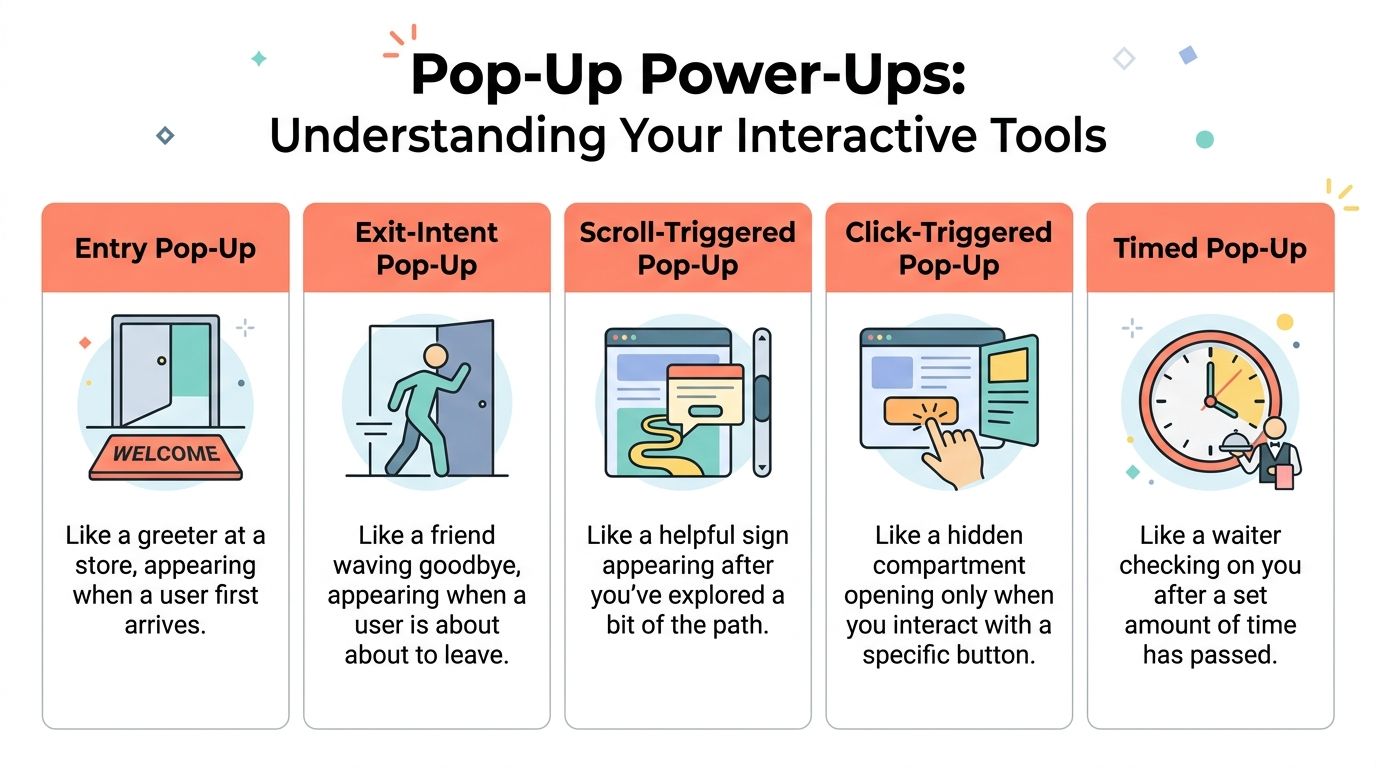
    Infographic

    The five core types

    Entry pop-up
    This is the greeter at the door. It appears soon after arrival or on first page load. It is useful when the entire site has one dominant campaign, such as a storewide promotion, a launch, or an event announcement. It is also the easiest type to overuse.

    Timed pop-up
    This behaves more like a store associate who waits a bit before asking if you need help. It appears after a set delay, which can work when the page needs a short reading period first. Timed pop-ups are common on blogs, feature pages, and documentation hubs where immediate interruption would feel clumsy.

    Scroll-triggered pop-up
    This one appears after the visitor has explored enough of the page to show interest. It is a strong fit for long-form content, collection pages, and landing pages where depth of engagement matters more than raw arrival.

    On-click pop-up
    This is the most respectful format because the visitor asks for it. A click on “See pricing options,” “Get the template,” or “Apply discount” opens the window. If you want to reduce friction without forcing attention, this format is hard to beat. For more ideas on where this fits inside a revenue capture flow, this guide on exit-intent popup strategy is useful context.

    Exit-intent pop-up
    This is the concierge catching someone at the door with one last relevant question or offer. It works best when you need to save a conversion, collect feedback, or redirect a hesitant buyer before the tab closes.

    Pop Up Window Types and Their Core Jobs

    Pop Up TypeTriggerPrimary Use CaseIntrusiveness Level
    Entry Pop-UpOn arrivalAnnouncements, welcome offers, major campaignsHigh
    Timed Pop-UpAfter delayLead capture, content offers, gentle promptsMedium
    Scroll-Triggered Pop-UpAfter reading progressContent upgrades, newsletter signup, mid-page engagementMedium
    Click-Triggered Pop-UpUser clicks a button or linkPricing reveals, gated assets, offer detailsLow
    Exit-Intent Pop-UpLeaving behaviorCart recovery, objection capture, last-chance offerHigh but context-sensitive

    What works for which goal

    If your goal is lead generation, timed or scroll-triggered pop-ups usually fit better because they wait for some engagement.

    If your goal is offer redemption or feature explanation, on-click works well because the visitor chooses to open the window.

    If your goal is abandonment prevention, exit-intent is the obvious choice because it catches a moment you cannot recover later with certainty.

    The mistake is not choosing the “wrong” pop-up type. The mistake is choosing a trigger before deciding what job the pop up window needs to do.

    Designing Pop Ups That Convert Without Annoying Users

    Most design advice focuses on aesthetics. Conversion-focused design starts with respect for context.

    A pop up window should feel easy to understand, easy to dismiss, and impossible to misread. If a visitor has to scroll inside it, hunt for the close icon, or decode what you want, the pop-up is already underperforming.

    Size first, then copy

    The practical desktop ceiling matters more than many teams realize. Digioh recommends a maximum size of 900×650 pixels, with a sweet spot around 700×500 pixels, so the pop-up stays fully visible across common screens without forcing a scroll. For mobile, the recommendation is 360×660 pixels maximum. Their guidance is worth reviewing in full if you are rebuilding templates for responsiveness and visibility: recommended pop-up sizes for desktop and mobile.

    The reason this matters is simple. A conversion pop-up is not a landing page. It needs to complete one interaction quickly.

    Modal behavior is powerful, but expensive

    A modal pop up window blocks the page and demands attention. That can help when the action matters and the timing is justified. It can also create friction if you show it too early or for a weak ask.

    IBM’s documentation on pop-up windows explains the underlying modal pattern clearly. The user must complete or dismiss the window before returning to the underlying task. That is exactly why modals are effective for checkout rescue, urgent clarification, or a final pre-exit offer. It is also why they feel intrusive when used for generic newsletter prompts. See the original IBM pop-up window guidelines for the interaction model.

    The copy should answer one question

    Do not write clever headlines first. Write the answer to the visitor’s likely hesitation.

    A few reliable patterns:

    • Pricing friction: Offer a comparison, a short explanation, or a lower-commitment next step.
    • Cart hesitation: Surface shipping clarity, a limited offer, or a support route.
    • Content engagement: Offer a checklist, template, or follow-up resource tied to the page topic.
    • Trial uncertainty: Ask what is holding the visitor back, then route them based on the answer.

    Good visual treatment helps, but message hierarchy does most of the heavy lifting. If you need examples of broader design elements that boost conversions, study how contrast, spacing, and call-to-action placement support clarity rather than ornament.

    A quick quality check

    Use this before launch:

    • Visible close option: Make dismissal obvious on desktop and mobile.
    • Single ask: One form, one CTA, one outcome.
    • Context match: The offer should make sense on that specific page.
    • Short form: Ask only for the information you need now.
    • Consent handled cleanly: If you collect data or marketing permission, make it explicit and easy to understand.
    • Mobile review: Check spacing, keyboard behavior, and tap targets by hand.

    For teams running frequent experiments, this archive of conversion optimization articles is a good companion read because pop-up design usually improves when it is treated as part of a larger CRO system, not a one-off overlay.

    Using Strategic Triggers to Unlock High Intent Moments

    Timing decides whether a pop up window feels helpful or clueless.

    The same offer can perform poorly on a timer and work beautifully on exit. The difference is not creative quality. It is intent recognition.

    Exit-intent is about behavior, not guesswork

    Exit-intent systems watch for signals that suggest the session is ending. On desktop, that often means pointer movement toward the browser chrome or tab area. On a product page or checkout page, that final moment is often the only chance to ask a direct question or present a rescue offer before the visit disappears.

    That makes exit pop-ups useful for things that benefit from urgency:

    • Cart rescue
    • Plan selection hesitation
    • Demo abandonment
    • “Not now” feedback capture

    A simple offer is not always the best move. Sometimes the better tactic is a one-question survey that surfaces the reason for hesitation. That answer can guide the next action better than a blanket discount ever will.

    This video gives a practical visual overview of how these triggers can be used on site:

    On-click and scroll triggers often qualify intent better

    On-click is underrated because it does not feel like a “pop-up strategy.” It should.

    If someone clicks “show me the offer,” “compare plans,” or “unlock the template,” they are self-identifying as interested. That makes the interaction cleaner and often easier to attribute to the next action.

    Scroll-based triggers serve a different purpose. They work best when engagement depth matters. Someone who has read thoroughly into an article, feature page, or buying guide has earned a more specific ask than a new visitor on page load.

    Trigger selection by page type

    Use a simple mapping approach:

    • Pricing page: Exit-intent for objections, on-click for plan clarification
    • Blog post: Scroll-triggered for content upgrades or newsletter signup
    • Product page: Timed or on-click for feature details and FAQs
    • Cart or checkout: Exit-intent for recovery, reassurance, or support

    For stores struggling with drop-off near checkout, this guide on reducing shopping cart abandonment is a useful reference point because trigger logic matters most when the buyer is close to revenue.

    Trigger strategy works best when each pop up window answers the question the visitor is most likely asking at that exact moment.

    Measuring Pop Up Performance and Attributing Real ROI

    A pop up window should be measured like a revenue lever, not a design asset.

    Too many teams stop at impressions, clicks, or raw signups. Those metrics tell you whether the box got attention. They do not tell you whether it improved the business.

    Track outcomes, not just interactions

    The better reporting model connects pop-up exposure and interaction to downstream events such as:

    • Qualified leads created
    • Trials started
    • Checkout completion
    • Subscription selection
    • Offer acceptance
    • Captured objections that explain churn risk

    That last one matters more than most dashboards admit. A survey response like “too expensive,” “missing integration,” or “just researching” changes how you evaluate the session. Some pop-ups create immediate conversions. Others generate decision data that improves your pricing, roadmap, messaging, or retargeting later.

    Privacy changes make lazy attribution unreliable

    Many setups break at this point.

    Since Chrome’s third-party cookie phaseout began, there has been a 35% drop in pop-up display rates, and Safari’s ITP can block up to 60% of traditional intent-based pop-ups, according to the source referenced in this overview: cookie-less popup strategy discussion. If your pop-up program depends on brittle client-side tracking, your reporting can look cleaner than reality while becoming less trustworthy.

    That changes the job of the growth team. You need a first-party view of behavior and attribution that survives browser restrictions.

    A better test framework

    Do not test five variables at once. Pick one layer at a time.

    Try this order:

    1. Trigger
      Test whether the pop-up appears at the right moment.

    2. Offer or question
      Compare a discount, reassurance message, or feedback prompt.

    3. Form friction
      Remove unnecessary fields. Reduce decision load.

    4. CTA language
      Make the action explicit and outcome-based.

    Then judge the result by business impact. Did the campaign recover more carts, influence more trials, or uncover better reasons for non-conversion? Those are the outcomes stakeholders care about.

    If your attribution cannot connect the pop up window to revenue or a meaningful buying signal, you are optimizing theater.

    Real World Pop Up Examples and Performance Benchmarks

    Benchmarks matter, but examples matter more because they show where the pop up window sits in the buying flow.

    Ecommerce recovery

    A shopper adds products to cart, reaches checkout, pauses, and starts to leave. The worst response is a generic “join our newsletter” prompt. The better response is an exit pop-up with one relevant decision. A small incentive, shipping reassurance, or a quick “what stopped you?” survey can all work, depending on the business.

    Pop-ups earn their keep in this scenario. They are not trying to create demand from scratch. They are trying to rescue intent that already exists.

    SaaS objection capture

    On a pricing page, many visitors are interested but not ready. A pop-up that appears at exit can ask a direct question such as what prevented sign-up. The answer is often more valuable than one more anonymous pageview. Product teams can use those responses to improve packaging and messaging, while growth teams can segment follow-up by objection type.

    Content and lead capture

    Publishers and B2B teams often use scroll or click-triggered pop-ups for guides, calculators, webinar registration, or newsletter signup. The best versions feel like a continuation of the page, not a detour from it. The offer matches what the visitor was already consuming.

    What “good” looks like

    The ceiling is much higher than many teams assume. Average pop-ups convert around 3 to 4%, while elite, highly optimized campaigns can reach 42 to 57%, based on OptiMonk’s pop-up statistics roundup. That does not mean every site should expect those numbers. It does mean mediocre performance is not a reason to dismiss the channel. It is usually a reason to fix the trigger, the offer, or the fit.

    Strong pop-up programs usually share the same traits:

    • Tight message-to-page match
    • A clear reason to act now
    • Low-friction interaction
    • Relentless testing

    Frequently Asked Questions About Pop Up Windows

    Will pop-ups hurt SEO

    They can, especially on mobile, if they block core content immediately and make the page hard to use. The safer approach is to delay the ask, reduce screen takeover, and make dismissal obvious. Search visibility problems usually come from intrusive implementation, not from using a pop up window at all.

    How many pop-ups are too many

    If a visitor sees multiple unrelated pop-ups in one session, you are probably overdoing it. Many teams should think in terms of priority, not volume. Pick the single most important intervention for that page and suppress lower-priority ones.

    Can I show different pop-ups to different visitors

    Yes, and you should. Traffic source, landing page, cart state, product category, and visit behavior all change what a useful message looks like. A first-time blog reader should not see the same pop up window as a returning shopper abandoning checkout.

    Should every pop-up offer a discount

    No. Discounts solve one problem. They do not solve confusion, lack of trust, unclear value, or missing information. In many cases, a FAQ-style clarification, a comparison guide, or a one-question survey is the better move.

    Where can I find good examples before building my own

    Reviewing strong examples is one of the fastest ways to spot weak copy and lazy trigger logic. This collection of High-Converting Exit Intent Popup Examples is a useful place to study angles, offers, and CTA structure before launching your own tests.

    What is the simplest rule to follow

    Make the pop-up earn its interruption. If the timing is earned and the value is obvious, users tolerate it. If not, they close it and remember the annoyance.


    If you want to turn pop-ups into a measurable revenue channel instead of another on-site widget, Receiver is built for that job. It helps SaaS and ecommerce teams combine exit surveys, targeted offers, intent signals, and attribution in one real-time dashboard so you can see why visitors leave, intervene before they churn, and connect those interactions to actual revenue.
  • A Friendly Guide to Reduce Shopping Cart Abandonment

    A Friendly Guide to Reduce Shopping Cart Abandonment

    If your online store feels like it’s hemorrhaging money right at the finish line, you’re not wrong. To reduce shopping cart abandonment, the first step is realizing it’s not just a metric on a dashboard—it’s high-intent customers walking away with your revenue in their pockets. The real work begins when you stop just watching the number and start diagnosing why they’re leaving.

    Understanding the Cart Abandonment Problem

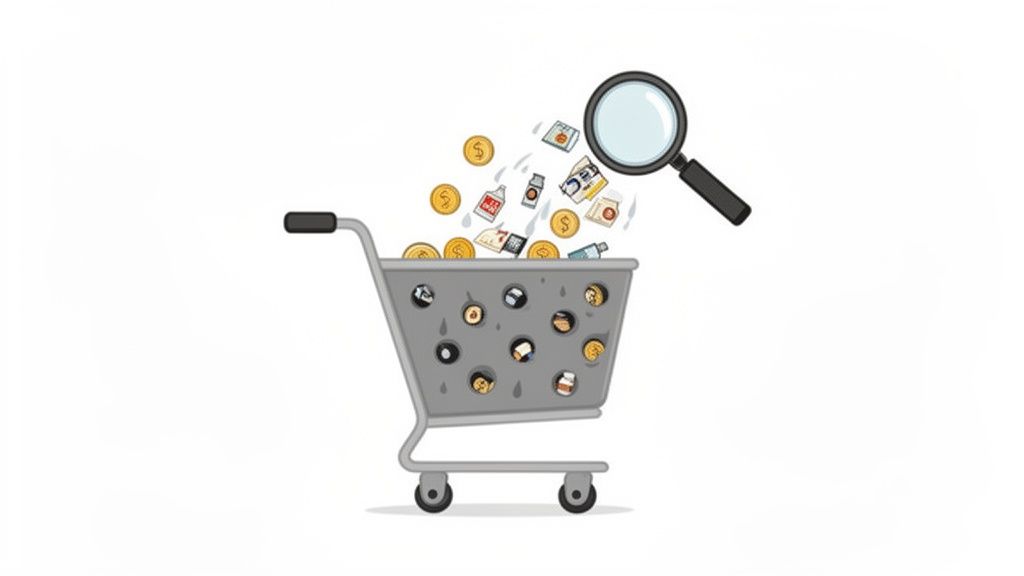
    Magnifying glass over a leaky shopping cart with products and money, symbolizing lost sales.

    It’s tempting to get bogged down in industry benchmarks, but the problem is fundamentally simple. Someone wanted your product. They liked it enough to click “Add to Cart,” but then… something went wrong.

    That’s not just a lost sale; it’s a failure at the most critical moment in the entire customer journey. Whether you’re a SaaS business watching potential users drop off during sign-up or an ecommerce store with carts full of abandoned goods, the result is the same: a direct hit to your bottom line.

    Why Your Bottom Line Is Leaking

    The numbers put the scale of the challenge into perspective. The global average shopping cart abandonment rate is a staggering 70.19%. This means more than 7 out of every 10 shoppers who start a purchase simply walk away.

    What’s tripping them up? The number one culprit is unexpected shipping costs, which deter 1 in 4 (25%) shoppers. When you factor in other extra fees, that number jumps to 55%. For anyone running an online store, this is a clear signal that you can’t afford to wait. You have to intervene to win back that massive slice of revenue.

    But it’s not always one big, glaring issue. Often, it’s death by a thousand cuts. A confusing form, a missing trust seal, or a slow-loading payment page—any of these small friction points can be the final straw that sends a customer packing.

    The goal isn’t to eliminate abandonment entirely—that’s a fool’s errand. The real win is plugging the biggest, most obvious leaks in your checkout to recover revenue from the traffic you’re already getting.

    Shifting from Problem to Action

    Looking at a 70% abandonment rate can feel paralyzing. Where do you even begin? The trick is to stop thinking of it as one giant problem and start seeing it as a series of smaller, fixable ones.

    Instead of asking, “Why is my abandonment rate so high?” start asking sharper, more diagnostic questions:

    • Is our pricing crystal clear from the start? Hidden costs are the fastest way to break trust and lose a sale.
    • Are we forcing people to create an account? This is a huge barrier, especially for first-time buyers who just want to get in and out.
    • Does our mobile checkout feel clunky? If it’s not smooth and effortless on a phone, you’re bleeding sales. Period.
    • Do we look trustworthy? A lack of security badges or a cheap-looking design can spook customers right before they enter their credit card details.

    For a quick look at the most common reasons shoppers leave and what you can do about them right now, here’s a simple breakdown.

    Common Reasons for Cart Abandonment and Your First Fixes

    Reason for AbandonmentWhat Your Shopper ExperiencesYour Actionable Fix
    Unexpected Costs“Whoa, shipping is how much? No thanks.”Show all costs upfront on the product and cart pages. Offer a free shipping threshold.
    Forced Account Creation“I don’t want to create another account just to buy this one thing.”Offer a prominent “Guest Checkout” option.
    Complicated Checkout“This is taking too long. Too many steps and confusing forms.”Simplify your checkout to a single page. Use address auto-fill and offer express pay options.
    Security Concerns“This site looks a bit sketchy. I’m not putting my card info in here.”Display trust badges (SSL, McAfee, etc.) and customer reviews clearly.
    Poor Mobile Experience“These buttons are too small, and the site is slow on my phone.”Test and optimize your entire checkout flow for mobile. Ensure buttons are large and pages load fast.

    Each fix might seem small, but together they create a much smoother path to purchase.

    By breaking the problem down this way, you can finally move from staring at data to taking meaningful action. Every little improvement directly contributes to a better customer experience and, most importantly, more revenue.

    For a complete playbook on turning this challenge into an opportunity, check out An AI-Powered Guide to Reduce Cart Abandonment. It’s the perfect starting point for transforming browsers into buyers.

    Finding Out Why Your Visitors Are Leaving

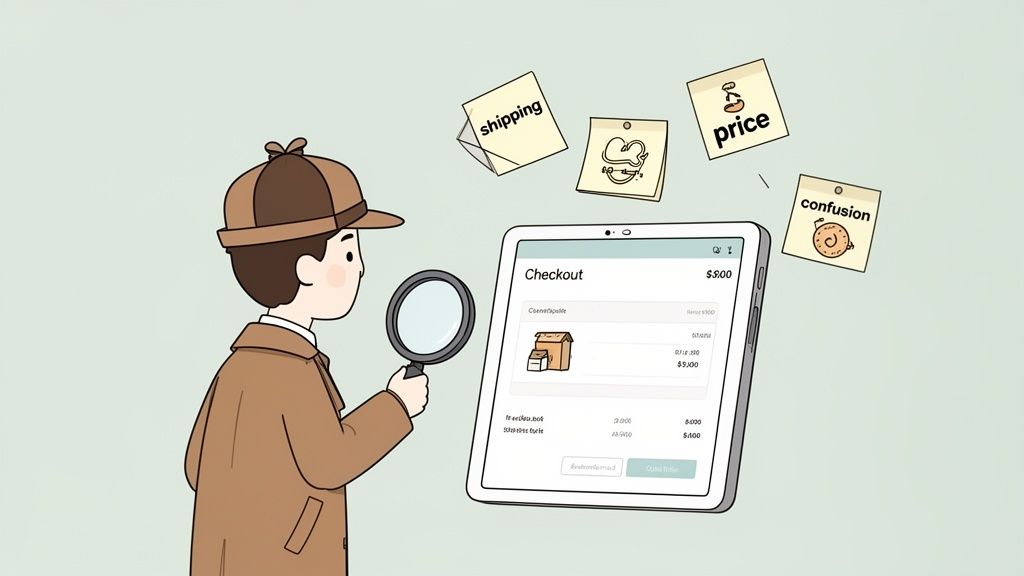
    Cartoon detective with magnifying glass analyzes e-commerce checkout issues, surrounded by sticky notes.

    Before you can patch the holes in your checkout funnel, you have to find them. To meaningfully reduce shopping cart abandonment, stop guessing and start diagnosing. This is where you put on your detective hat, gather clues, and figure out the exact friction points pushing people away.

    Your analytics dashboard is great for telling you what is happening—say, a huge drop-off between the cart and the payment page. But it’s completely silent on the why. The actionable insight comes from combining quantitative data with genuine human feedback.

    Start with Accurate Measurement

    First, you need a solid baseline. Calculating your cart abandonment rate isn’t just an academic exercise; it’s the benchmark you’ll use to measure every single improvement you make.

    The formula is straightforward:

    Cart Abandonment Rate = 1 – (Total Completed Transactions / Total Carts Created) x 100

    So, if 1,000 people add an item to their cart but only 300 actually buy it, your abandonment rate is 70%. Having this number turns that vague feeling of “losing sales” into a concrete metric you can actively improve.

    A Baymard Institute study found that 18% of shoppers bail on their carts because the checkout process is too long or complicated. Without asking your customers, you’d have no idea if that was your problem or if something else—like surprise shipping costs—was the real culprit.

    Use Surveys to Uncover the “Why”

    Once you know your numbers, it’s time to dig into the human side of the story. The most powerful way to find out why people are leaving is simple: just ask them. This is where a well-placed, non-intrusive exit-intent survey becomes your best friend.

    A smart exit survey only appears when someone signals they’re about to leave—by moving their mouse toward the back button or to close the tab. It’s your one last shot to capture a golden nugget of feedback.

    The goal is to get straight to the point with a single, relevant question that won’t annoy the user. The question should feel like it belongs, tailored to the specific page they’re on and what they were trying to do.

    Crafting the Perfect Survey Questions

    Vague questions get you vague, useless answers. For real insight, your questions must be specific and contextual.

    Here are actionable examples you can use:

    For Ecommerce Stores:

    • On the Cart Page: “What’s holding you back from completing your order today?” This is a great open-ended question that catches all sorts of issues.
    • On the Shipping Page: “Did you find our shipping options and costs fair?” This hits the #1 reason for cart abandonment head-on.
    • On the Payment Page: “Is there a payment option you were looking for but didn’t find?” This can quickly tell you if you need to add Apple Pay, Afterpay, or other popular services.

    For SaaS Companies:

    • On the Pricing Page: “Is our pricing clear? If not, what’s confusing?” This is perfect for uncovering problems with your pricing tiers or feature descriptions.
    • During Signup: “What’s the main thing stopping you from creating an account right now?” Use this to find and eliminate friction right in your onboarding flow.

    By gathering this direct feedback, you create a powerful loop that directly informs your strategy to reduce shopping cart abandonment. You’re no longer working off assumptions; you’re solving the real problems your almost-customers are telling you about. This is the foundation for making impactful changes that actually move the needle on revenue.

    Creating a Frictionless Checkout Experience

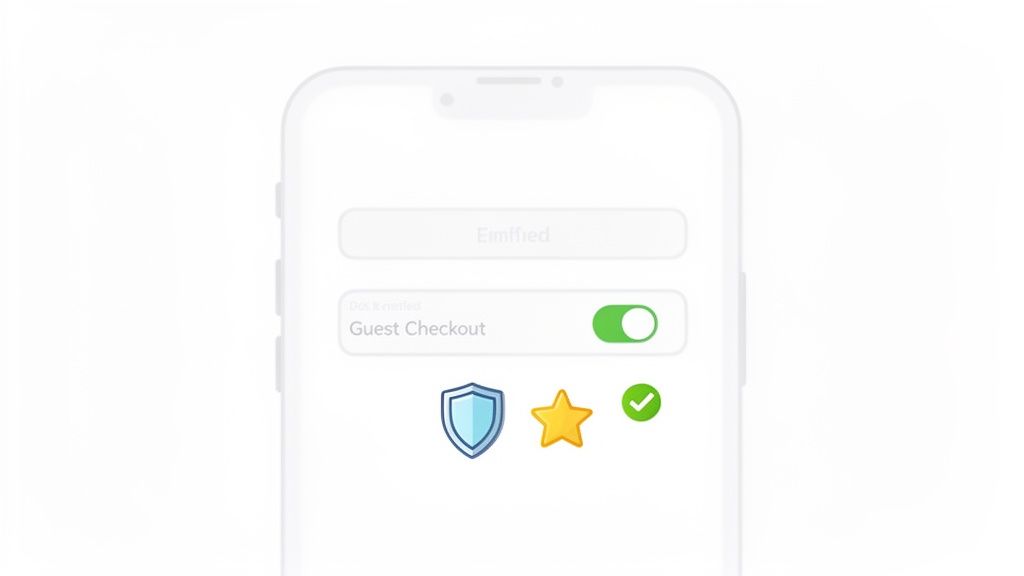
    A smartphone screen displaying a 'Guest Checkout' toggle in the ON position, along with security and rating icons.

    Alright, you’ve done the diagnostic work and have a good idea of why people are leaving. Now it’s time to fix the leaks. A smooth, confidence-inspiring checkout is your most powerful weapon to reduce shopping cart abandonment.

    Every extra click, unexpected fee, and confusing field is a potential exit ramp. Your job is to make buying from you feel completely effortless. The goal is to create a path from cart to confirmation so clean that your customers glide through without a second thought.

    Prioritize Mobile Optimization

    The modern checkout experience is overwhelmingly mobile. This is where the battle for conversions is won or lost. Mobile shopping is an abandonment minefield, with rates expected to hit 84% globally by 2026. That’s a huge jump from desktop’s 72%.

    So why the gap? It’s all about friction. Mobile web checkouts see 32% more drop-offs than native apps, and sites that take more than three seconds to load lose 44% more sales. The good news is that simple fixes make a huge difference. Adding 1-click checkout options can slash abandonment by 22%, while offering “Buy Now, Pay Later” (BNPL) can lower it by another 16%.

    Here’s how to win on mobile with ruthless simplicity:

    • Make Buttons Large and Tappable: Tiny “Continue” buttons or small radio selectors are a recipe for frustration. Make sure every interactive element is thumb-friendly.
    • Use Mobile-Native Features: This is a big one. Implement digital wallets like Apple Pay and Google Pay to let customers bypass all the tedious form-filling.
    • Test on Real Devices: Don’t just trust your browser’s “mobile view.” Test your entire checkout flow on actual iOS and Android phones to catch device-specific glitches.

    Simplify Your Forms Relentlessly

    Did you know the average checkout form has almost 15 fields? That’s roughly double what’s actually necessary. Each field is a tiny point of friction that adds up to a major barrier to purchase.

    A Baymard Institute report found that 18% of shoppers abandon carts because the checkout process is too long or complicated. Almost one in five lost sales are from a form that’s simply asking for too much.

    Go through every single field in your checkout and ask, “Is this absolutely critical to fulfill the order?”

    • Do you really need a phone number? For many businesses, the answer is no. Make it optional or remove it.
    • Combine “First Name” and “Last Name” into a single “Full Name” field. That’s one less tap for your customer.
    • Use Address Autofill: Integrate Google’s Places API to auto-populate the shipping address as the user types. This saves time and prevents typos.
    • Hide the Billing Address: If the billing address is the same as the shipping, just use a simple checkbox. When ticked, the redundant fields should disappear, making the page look shorter and less intimidating.

    Offer Guest Checkout and Build Trust

    Forcing a first-time buyer to create an account is a classic conversion killer. They don’t want a commitment; they just want to buy your product. Always, always offer a prominent guest checkout option. You can always invite them to create an account on the thank you page, right after you’ve secured their payment.

    At the same time, you must build rock-solid trust, especially at payment. Customers are on high alert when they pull out their credit cards.

    Boost their confidence with these visible trust signals:

    • Display Security Badges: Logos from McAfee, Norton, or your SSL provider matter. Over 60% of customers have bailed on a purchase because trust logos were missing.
    • Showcase Payment Options: Displaying familiar logos like Visa, Mastercard, PayPal, and Apple Pay reassures shoppers that you use standard, secure payment methods.
    • Use Social Proof: A quick testimonial or a simple line like “Join over 10,000 happy customers” right in the checkout can provide a final nudge of confidence.

    A huge part of creating this frictionless experience comes down to the layout itself. Many online stores see a major lift by consolidating their checkout process. If you’re looking for deeper insights on this, a great place to start is Mastering One Page Checkout. When you put all these pieces together, you turn hesitant browsers into confident buyers.

    Using Real-Time Offers to Save the Sale

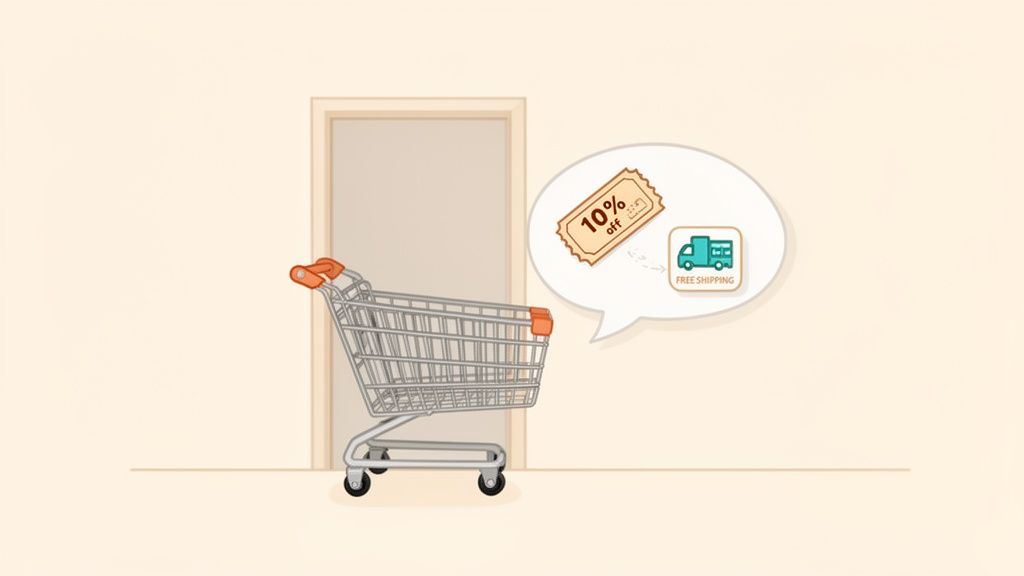
    A shopping cart next to a door, with a speech bubble showing 10% off coupon and free shipping.

    What if you could jump in with the perfect offer right as a customer starts to second-guess their purchase? That’s what real-time engagement is all about. Instead of just cleaning up your checkout flow and hoping for the best, you can step in to reduce shopping cart abandonment before it happens.

    This isn’t about hitting every visitor with a generic, annoying pop-up. It’s about using smart triggers to deliver a helpful, relevant incentive at the exact moment of doubt. Think of it as a well-timed assist that turns a hesitant “maybe” into a confident “yes.”

    How Exit-Intent Technology Works

    The secret sauce here is exit-intent technology. This software tracks a visitor’s mouse movements and speed, predicting when they’re about to leave—like when their cursor makes a beeline for the back button or the ‘X’ on the browser tab. That’s your cue.

    This is your final shot to overcome an unspoken objection. Maybe the final price was a bit higher than they anticipated, or they’re on the fence because of shipping costs. A well-timed offer can be the exact nudge they need to get over that last hurdle and click “Complete Purchase.”

    Exit-intent pop-ups are your front line of defense, turning window shoppers into paying customers. By presenting an offer—like a small discount or free shipping—you create just enough urgency to convince someone to stick around and finish what they started.

    Crafting Offers That Actually Help (and Don’t Annoy)

    The key to getting this right is context. A generic “10% Off!” pop-up might catch a few people, but the real magic happens when your offer directly addresses the user’s behavior. This makes it feel less like a desperate sales tactic and more like a helpful hand.

    Here are actionable examples that work:

    • The Shipping Cost Sticker Shock: A customer loads up their cart, heads to checkout, then freezes on the shipping page. An exit-intent rule can trigger a banner offering free shipping. This solves the exact problem that caused them to hesitate.
    • The High-Value Cart Cold Feet: Someone has a cart over $200 but seems hesitant to commit. You can set up an offer that only appears for carts over a certain value, giving them a $20 discount. It’s a great way to reward a big purchase and make the price feel more manageable.
    • The SaaS Trial Timer: For SaaS businesses, the “cart” is the sign-up or upgrade page. If a user is on your pricing page and about to leave, you can trigger an exit-intent offer for a 14-day extension on their free trial. This gives them more time to see your product’s value firsthand.

    This is where you can use automation tools to set up rules that respond to specific behaviors, like a user abandoning their cart.

    With the right setup, you can clearly connect specific triggers—like a visitor leaving the cart page—to automated actions, like sending them a targeted offer to win them back.

    Automate the Save for Maximum Impact

    You can’t manually watch every single visitor. The true power here comes from smart automation. By using a platform like Receiver, you can create these “if-then” rules once and let them run 24/7, catching sales you would have otherwise lost.

    Here’s how to set up these automated interventions:

    1. Pinpoint the Trigger: What specific action signals a high risk of abandonment? It could be lingering on the shipping page, having a high-value cart, or visiting the pricing page multiple times without converting.
    2. Define the Offer: What’s a compelling incentive that solves their likely problem? Think discounts, free shipping, a trial extension, or even a link to a super-helpful FAQ page that answers common questions.
    3. Set the Conditions: Make sure your offer only shows up for the right people. You don’t want to hand out discounts to customers who were going to buy anyway. Use conditions like cart value, the specific URL they’re on, or where they came from to target your offers with surgical precision.

    By putting these moments on autopilot, you build a system that consistently recovers revenue. It’s a proactive strategy that not only helps reduce shopping cart abandonment but also makes the customer experience better by offering help right when it’s needed most.

    Winning Back Customers After They’ve Left

    Two figures reaching out to each other

    So, they’ve left your site without buying. It happens. But don’t write off that sale yet. What you do after a visitor leaves is often where the real magic happens in cutting down your cart abandonment rate.

    This isn’t about sending a generic, one-size-fits-all “You left something!” message. It’s about having a smart, automated follow-up system that re-engages shoppers with the right message at the right time, using everything from email and SMS to well-placed ads.

    Crafting Abandoned Cart Emails That Actually Convert

    Once someone leaves your checkout, the clock is ticking. You’ve got a golden window—usually about an hour—to get in touch while your store and products are still fresh in their mind. This first email is critical.

    Abandoned cart emails have an open rate that can top 40%. That’s worlds away from your standard marketing newsletter. But getting the open is just the first step; the message inside has to do the heavy lifting.

    The Perfect Three-Part Email Sequence

    One email is a start, but a well-timed sequence is what really moves the needle. It lets you tackle different reasons for abandonment without being pushy. Here’s an actionable flow you can implement:

    1. The Friendly Nudge (Send within 1 hour): Keep this first one simple and helpful. Think of it as a customer service touchpoint, not a hard sell. Maybe their connection dropped, or the kids started screaming. A low-pressure subject line like, “Did you forget something?” or “Your cart is waiting for you” is perfect. The only goal here is to make it easy for them to get back.

    2. Handling the Hesitation (Send 24 hours later): If they didn’t come back, there’s likely a specific objection holding them back. This is your chance to address it. Are shipping costs a common complaint? Remind them about your free shipping threshold. Worried about returns? Highlight your “no-questions-asked” policy. Sprinkling in some social proof, like a few glowing reviews for the items in their cart, can work wonders here.

    3. The Final Offer (Send 3 days later): This is the last-chance saloon. If they’re still on the fence, a little nudge might be all it takes. Consider a small, time-sensitive offer like 10% off or free shipping. Urgency is key. But a word of caution: don’t overdo this. You don’t want to train your customers to abandon carts just to snag a discount. Test it carefully and watch your margins.

    Pro tip: Personalization is everything. A study found that adding the customer’s name to the subject line can push open rates over 46%. Including the product name can hit 44%. Small tweaks, big impact.

    Reaching Customers Instantly with SMS Recovery

    Email is the reliable workhorse of cart recovery, but SMS is your ace in the hole for immediate engagement. With open rates often clearing 90%—most within minutes of delivery—it’s the perfect channel for a quick, timely prompt.

    The key to SMS is to be brief and direct. Always, always include a link that takes them straight back to their pre-filled cart. One tap, and they’re right back where they left off.

    • A solid SMS example: “Hey [Name], looks like you left the [Product Name] in your cart at [Your Store]. It’s still waiting for you! Finish your order here: [Direct Cart Link]”

    Winning Them Back with Laser-Focused Retargeting Ads

    Your recovery plan shouldn’t stop at their inbox. Retargeting ads on platforms like Facebook and Instagram are brilliant for keeping your brand top-of-mind while abandoners are scrolling through their feeds.

    You already know exactly what they wanted to buy, so you can serve them incredibly relevant ads. Dynamic product ads are fantastic for this, as they automatically show the very items the person left behind.

    Then, you tie it all together. Let’s say your second email talked up your easy return policy. Your retargeting ad copy could echo that: “Still thinking it over? Remember, we offer 30-day, no-questions-asked returns. Shop with confidence!” This creates a consistent story across multiple channels, building trust and making it incredibly simple for them to click back and finally check out.

    How to Measure Your Success and Prove ROI

    You’ve rolled out your exit-intent offers, streamlined the checkout, and your new email flows are live. Now for the million-dollar question: is any of it actually working? To truly reduce shopping cart abandonment, you have to move beyond gut feelings and start measuring your success with cold, hard numbers.

    This is where the rubber meets the road—connecting your actions directly to revenue. Proving the return on investment (ROI) isn’t just about making your boss happy. It’s about getting the clarity you need to double down on what’s working and cut what isn’t.

    Using A/B Testing to Find Your Winners

    Not every change you make will be a home run. That’s why A/B testing needs to be your best friend. It’s the only scientific way to compare different strategies and see what your audience genuinely responds to.

    Instead of just guessing what might work, you can test specific variables to find a clear winner. Start with a simple hypothesis based on the data you’ve gathered or the customer feedback you’ve read.

    Here are a few A/B test ideas to run now:

    • The Offer: Test a 10% discount against a free shipping offer. Your hypothesis might be that for your customers, the psychology of “free” is a bigger draw than a small percentage off.
    • The Email Subject: Pit an urgent subject line (“Your cart is about to expire!”) against a helpful one (“Did you have trouble checking out?”).
    • The Button Text: Don’t underestimate the small stuff. Try testing “Complete Purchase” against “Secure Checkout” to see which phrase builds more confidence and drives more clicks.

    Running controlled experiments like these lets your customers vote with their clicks. It ensures your efforts are guided by real data, not just assumptions.

    A critical piece of the puzzle is attributing sales correctly. When you run a test, you need to know without a doubt which version—A or B—led to the recovered sale. This is where a tool like Receiver is invaluable, as it connects the dots between the specific offer a user saw and their eventual purchase.

    Calculating the Real Revenue Impact

    At the end of the day, success comes down to the revenue you’ve recovered. When you can put a dollar amount on your work, its impact becomes undeniable. You can start with just a few key metrics to paint a clear picture.

    For instance, simply tracking “Revenue Recovered from Abandonment” shows the direct financial gain from your entire strategy. This isn’t a vanity metric; it’s the bottom-line result that proves your work is paying off.

    To make this tangible, use this framework to quantify the revenue recovered from your cart abandonment initiatives.

    Calculating the Impact of Your Abandonment Strategy

    Metric to TrackSimple FormulaExample Calculation
    Recovery Rate(Carts Recovered / Total Carts Abandoned) x 100(150 Carts Recovered / 1,000 Carts Abandoned) x 100 = 15% Recovery Rate
    Recovered RevenueNumber of Carts Recovered x Average Order Value (AOV)150 Carts x $80 AOV = $12,000 Recovered Revenue
    ROI((Recovered Revenue – Cost of Tools/Campaign) / Cost) x 100(($12,000 – $500) / $500) x 100 = 2,300% ROI

    This kind of simple analysis transforms your role. You're no longer just someone who "fixes the website"—you become a key driver of business growth. By tracking these numbers, you can confidently report on your success and make data-backed decisions on where to invest your time and budget next.

    A Few Common Questions We Hear

    As you start digging into how to reduce shopping cart abandonment, a few questions inevitably pop up. Here are the straight answers I give to founders and marketers, so you can get right back to recovering lost revenue.

    How Quickly Can I See Results From These Strategies?

    Honestly, some of these fixes start working almost instantly.

    A few tactics are incredibly fast. Slap a real-time exit-intent offer, like a free shipping banner, on your site, and you could be saving sales within a few hours. Other on-site improvements, like simplifying your checkout form or adding a guest option, often show a measurable lift in your conversion rate within the first week.

    Of course, some strategies are more of a long game. Building out a thoughtful, multi-part abandoned cart email sequence will show its true value as it runs and you collect more data. The key is using a tool that gives you real-time feedback from day one, so you can spot your winners early.

    What Is a Good Shopping Cart Abandonment Rate to Aim For?

    This is a big one. While you'll see stats floating around that the industry average is a scary 70%, a "good" rate really depends on your market, your products, and who you're selling to. Chasing a universal number is a distraction.

    Instead, focus on your number.

    If your current abandonment rate is 80%, setting a goal to get it down to 75% is a huge, achievable win. That small percentage drop goes straight to your bottom line.

    A high-volume fashion store will naturally have a higher abandonment rate than, say, a B2B SaaS company selling to a handful of qualified leads. The goal is a consistent downward trend in your own analytics. Even a 5% reduction is a massive victory worth celebrating.

    Should I Force Users to Create an Account to Check Out?

    For almost every ecommerce store, the answer is a hard no. Don't do it.

    Making someone create an account is one of the biggest conversion killers out there. It’s pure friction, thrown in their path right when they’re ready to give you money.

    Always, always offer a prominent "Guest Checkout" option. It’s the single best way to respect a customer’s time and get the sale over the line. If you want them to create an account, prompt them after the purchase is complete. You can frame it as a benefit—"Create an account to easily track your order!"—when the pressure is off.

    For subscription or SaaS businesses where an account is a must, your job is to make signing up completely painless. Ask for the absolute bare minimum and offer social logins to speed things up.


    Ready to turn more of your hard-earned traffic into paying customers? Receiver gives you the tools to understand why visitors leave and the power to win them back automatically. Start your timeless trial and see the revenue you can recover.