Tag: lead generation

  • How to Do Pop Ups That Convert (A Practical Guide)

    How to Do Pop Ups That Convert (A Practical Guide)

    You already know the frustrating version of this story. Traffic is coming in. Product pages get visits. Pricing pages get attention. Blog posts rank. But conversions stay flat, and every popup idea feels risky because you’ve seen so many bad ones.

    That’s usually where teams get stuck. They treat popups as a design element instead of a conversion system. If you want to know how to do pop ups well, start with a simpler question: what job is this popup supposed to do, for this visitor, at this moment?

    That shift changes everything. Good popups don’t interrupt randomly. They intervene with a relevant ask when the visitor shows intent. That’s why some popups feel spammy and others feel useful.

    Why Most Website Popups Fail (And How Yours Won’t)

    A visitor is reading a high-intent blog post. Ten seconds in, a full-screen email form blocks the page. On a product page, a first-time shopper gets a discount before they have picked a size or viewed shipping. On a SaaS pricing page, a buyer who is clearly comparing plans gets asked to “subscribe for updates.”

    That is how teams train visitors to close popups on reflex.

    The failure usually starts earlier than design. The popup has no defined job, so the ask shows up at the wrong time, for the wrong person, with the wrong message. A popup built for lead capture behaves very differently from one built for cart recovery or objection capture. If those jobs get mixed together, conversion rates drop and the page experience gets worse.

    I treat popup performance as a relevance problem first, and a creative problem second.

    Interruption vs. useful timing

    Visitors will tolerate a popup that helps them finish what they already came to do. They reject one that forces an unrelated decision.

    Useful timing comes from behavior. Someone reads 60% of a SaaS comparison article and sees a demo CTA. A shopper adds to cart, hesitates on checkout, and gets a shipping incentive. A pricing-page visitor moves toward the browser bar, and you trigger an objection-handling modal or a short survey. If you need patterns for that last case, this exit-intent popup guide covers the mechanics.

    The standard I use is simple. If the team cannot explain why this popup appears for this visitor at this exact moment, it is not ready to launch.

    What strong popup strategy looks like

    Strong popups do a specific job inside the session. They are not decoration. They are not a generic list-growth box pasted across the whole site.

    A popup is more likely to work when it does all three of these things:

    • Matches the visitor’s current goal: The offer fits the page, traffic source, and level of intent.
    • Removes one point of friction: It answers a question, lowers perceived risk, or gives a clear next step.
    • Protects the session: It is easy to dismiss, does not appear too early, and does not keep interrupting the same user.

    The trade-off is real. Aggressive display rules can increase raw email captures while hurting qualified leads, revenue per session, or trial starts. I have seen ecommerce teams get a short-term lift from instant discount popups, then lose margin and train shoppers to wait for coupons. I have seen SaaS teams collect more top-of-funnel emails with generic modals, then realize those contacts never turn into demos because the ask was too broad.

    What works better is tighter alignment. On SaaS sites, that often means a pricing-page popup focused on objections, trial friction, or plan selection. On ecommerce sites, it often means waiting for signals like product views, cart activity, or exit behavior before making an offer.

    Teams that win with popups are not using more popups. They are assigning each popup a job, triggering it from intent, and judging success by business outcomes instead of form fills alone.

    Choose the Right Popup Goal and Trigger

    Before writing copy, pick the popup’s job. One popup should do one thing well. If it’s trying to capture email leads, recover carts, explain pricing, collect objections, and recommend products at the same time, it usually does none of them well.

    The cleanest way to plan popups is to tie each one to a specific conversion problem.

    Start with the job

    Here’s the framework I use with SaaS and ecommerce teams:

    • Lead capture: Turn anonymous visitors into email subscribers or demo leads.
    • Cart recovery: Stop a shopper from leaving before checkout.
    • Feature guidance: Help a high-intent SaaS visitor understand value on pricing or product pages.
    • Feedback capture: Learn why someone is hesitating, abandoning, or bouncing.
    • Cross-sell or upsell: Increase order value with a relevant recommendation.
    • Retention or rescue: Surface help for users who appear stuck.

    A popup with no job becomes generic fast. A popup with a clear job gets easier to trigger, write, and measure.

    Match the trigger to the intent

    A proven methodology starts by delaying the initial display by 10 to 50 seconds or waiting until the visitor loads a second page. That signals genuine interest and can yield a 28.98% conversion rate, according to Wisepops popup best practices. The same guidance recommends capping frequency at once per session to reduce annoyance.

    That doesn’t mean every popup should wait the same amount of time. It means instant display is rarely your best move.

    Trigger TypeBest For (Use Case)ProsCons / Risks
    Time delayBlog lead capture, category-page offers, newsletter asksEasy to set up, filters out quick bouncesToo early feels intrusive, too late can miss exits
    Scroll depthContent upgrades, buying guides, long-form educationStrong fit for engaged readersWeak on short pages or fast product visits
    Exit intentCart abandonment, pricing objections, last-chance offersCatches hesitation at the right momentWeak offer makes it feel desperate
    Second page viewedSaaS evaluation, repeat product browsingStrong intent signal, cleaner segmentationLower reach than broad triggers
    Click-triggeredDemo requests, coupon reveals, sizing helpUser-initiated, lower frictionRequires a strong on-page prompt
    Cart-based eventShipping offers, bundles, checkout reassuranceHighly relevant for ecommerceNeeds event tracking to work well

    Practical pairings that work

    For SaaS, use the page context to shape the ask:

    • Pricing page exit: Offer a trial extension, implementation help, or a short objection survey.
    • Feature page repeat visits: Show a demo CTA tied to that feature, not a generic homepage message.
    • Blog readers with deep scroll: Offer a relevant checklist, template, or webinar signup.

    For ecommerce, behavior matters more than page type alone:

    • Cart activity with exit intent: Surface shipping clarity, returns reassurance, or a focused discount.
    • Multiple product views in one category: Recommend a buying guide or product finder.
    • Returning shopper: Show a personalized offer, not the same first-visit email gate.

    If you want a deeper breakdown of when exit timing makes sense, this guide to an exit-intent popup strategy is worth reading.

    A popup should appear when the visitor’s behavior creates a question. Your popup should answer that question.

    Write the trigger rule before the design

    I like to document each popup in one line:

    Audience + page + behavior + offer + suppression rule

    Example for SaaS: returning visitor + pricing page + exit intent + trial extension + suppress after submit or close.

    Example for ecommerce: shopper with cart items + checkout entry + hesitation behavior + shipping incentive + suppress after purchase.

    That one line prevents most popup mistakes before design even starts.

    Designing Popups That Actually Convert

    A popup doesn’t need clever design. It needs clear hierarchy, a useful offer, and low friction.

    The easiest way to tank performance is to make the visitor work too hard. If the headline is vague, the body copy rambles, the CTA competes with other actions, and the form asks for too much, the popup won’t convert no matter how polished it looks.

    A digital screen displaying a cartoon eye and a notification box with the text Look Here written.

    Build around one decision

    Popups with a single, clear CTA and contrasting color can drive 2 to 3x higher engagement, and that focal point alone can boost clicks by 25 to 40%, according to Unbounce’s popup design guidance. The same source notes that personalized messaging based on geography or referral source can outperform generic messaging by 2x.

    That lines up with what is commonly observed in practice. The winning popup usually asks for one action, not three.

    Good CTA examples:

    • Start free trial
    • Get the guide
    • See recommended plan
    • Receive free shipping
    • Answer one question

    Weak CTA examples:

    • Submit
    • Learn more
    • Continue
    • Click here

    Write the copy in this order

    Popup copy is typically written top to bottom. I prefer this order:

    1. Offer
    2. CTA
    3. Headline
    4. Support text

    That sounds backward, but it keeps the message honest. If the offer is weak, no headline saves it.

    For SaaS

    A SaaS popup should remove uncertainty. The message should answer one of these:

    • What do I get if I act now?
    • Why is this relevant to the page I’m on?
    • What happens next?

    Example structure:

    • Headline: See which plan fits your team
    • Body: Answer a few quick questions and get a recommendation
    • CTA: Find my plan

    For ecommerce

    An ecommerce popup should reduce buying friction or increase confidence.

    Example structure:

    • Headline: Complete your order with free shipping
    • Body: Enter your email to save your cart and apply the offer
    • CTA: Save my cart

    Design choices that usually help

    Use visual hierarchy aggressively. Visitors should know what the popup is about in seconds.

    • Headline first: Keep it benefit-led and easy to scan.
    • Short body copy: One or two concise lines is enough.
    • One primary CTA: Secondary links should be visually quieter.
    • Brand consistency: The popup should look like part of the site, not an injected ad.
    • Supporting image only when useful: Product shots, founder faces, or illustrative graphics can help if they reinforce the offer.

    If you’re trying to improve sitewide conversion quality, this practical guide on how to improve website conversion rates connects popup design to the broader funnel.

    Copy check: If you remove the logo and brand colors, would the visitor still understand the offer instantly? If not, simplify the message.

    Keep forms brutally short

    Every extra field creates friction. Ask only for what you need to fulfill the next step.

    For a newsletter or cart save, email is often enough. For a demo flow, you might need more later, but the popup usually isn’t the place to collect everything upfront. If your team wants name, phone, company, role, and budget in a popup, you probably have a sales process problem, not a form problem.

    Mobile matters too. Buttons need comfortable tap targets, close controls must be obvious, and the popup can’t consume the entire screen in a way that traps the user.

    How to Build and Launch Your Popup

    There are three practical ways to build popups. Use a popup builder, launch through Google Tag Manager, or code a lightweight custom modal. The right choice depends on who will maintain it and how tightly it needs to connect with your site data.
    A digital pop-up window labeled Launch Ready featuring colorful interlocking gears and a prominent orange launch button.

    Option one uses a popup builder

    This is the fastest route for most marketing teams.

    Tools like Wisepops, OptinMonster, Poper, and Unbounce give you drag-and-drop editing, targeting rules, suppression settings, and basic reporting. If your team wants to iterate on copy and targeting without pulling developers into every change, start here.

    Builder tools work well when:

    • Marketing owns execution
    • Offers change often
    • You need page and behavior targeting quickly
    • You want built-in A/B testing

    The trade-off is control. Complex event logic, unusual layouts, and custom data passing can get messy depending on the tool.

    Option two uses Google Tag Manager

    GTM is a good middle ground.

    You can fire popups based on events such as scroll thresholds, cart actions, form starts, or pricing-page exits without deploying a full third-party popup stack. This works best when your team already uses GA4 events and has someone comfortable managing tags, triggers, and variables.

    GTM is usually the better choice when you need:

    • Custom event-based triggering
    • Cleaner integration with analytics
    • Centralized control across multiple pages
    • Less dependence on a single vendor UI

    The risk is governance. A messy GTM container becomes its own source of bugs, especially if different teams publish tags without a naming convention or QA process.

    Option three uses custom JavaScript

    If you want maximum control and minimum overhead, write the modal yourself. This is especially useful for product-led SaaS teams, Webflow builds with custom code, and ecommerce sites that need a specific trigger sequence.

    Here’s a lightweight vanilla JavaScript pattern for a basic exit-intent modal:

    <div id="exit-popup" hidden>
      <div class="popup-backdrop"></div>
      <div class="popup-modal" role="dialog" aria-modal="true" aria-labelledby="popup-title">
        <button id="popup-close" aria-label="Close popup">×</button>
        <h2 id="popup-title">Before you go</h2>
        <p>Want a last look at our best offer?</p>
        <a href="/pricing" class="popup-cta">See the offer</a>
      </div>
    </div>
    
    <style>
      #exit-popup[hidden] { display: none; }
      .popup-backdrop {
        position: fixed; inset: 0; background: rgba(0,0,0,.5); z-index: 9998;
      }
      .popup-modal {
        position: fixed; top: 50%; left: 50%; transform: translate(-50%, -50%);
        width: min(90vw, 420px); background: #fff; padding: 24px; border-radius: 12px;
        z-index: 9999; box-shadow: 0 10px 30px rgba(0,0,0,.2);
      }
      #popup-close {
        position: absolute; top: 12px; right: 12px; background: none; border: 0; font-size: 24px; cursor: pointer;
      }
      .popup-cta {
        display: inline-block; margin-top: 12px; padding: 12px 16px; background: #111; color: #fff; text-decoration: none; border-radius: 8px;
      }
    </style>
    
    <script>
      (function () {
        const popup = document.getElementById('exit-popup');
        const closeBtn = document.getElementById('popup-close');
        const sessionKey = 'exit_popup_seen';
    
        function showPopup() {
          if (sessionStorage.getItem(sessionKey)) return;
          popup.hidden = false;
          sessionStorage.setItem(sessionKey, 'true');
        }
    
        function closePopup() {
          popup.hidden = true;
        }
    
        document.addEventListener('mouseout', function (e) {
          if (e.clientY <= 0) showPopup();
        });
    
        closeBtn.addEventListener('click', closePopup);
        popup.addEventListener('click', function (e) {
          if (e.target.classList.contains('popup-backdrop')) closePopup();
        });
      })();
    </script>
    

    This gives you a base pattern. Add your own eligibility rules, event logging, and suppression logic before shipping it.

    Here’s a walkthrough video if you want to see implementation concepts in action:

    Launch checklist before you go live

    Use this checklist every time:

    • Check suppression: Don’t show the same popup repeatedly in one session.
    • Check mobile behavior: Make sure the popup is easy to close and doesn’t break the page.
    • Check event tracking: Log views, closes, clicks, and submits.
    • Check targeting rules: Test on the exact pages and user states you intended.
    • Check fallback states: If data is missing, the popup should still render cleanly or not appear.

    A popup that launches cleanly is already ahead of most.

    Measuring and Optimizing for Performance

    Launching a popup isn’t the win. Learning whether it improves the funnel is the win.

    A lot of teams stop at view rate and click rate because those are easy to find in popup tools. That’s not enough. A popup can attract clicks and still hurt revenue if it distracts buyers, lowers page engagement, or creates low-quality leads.
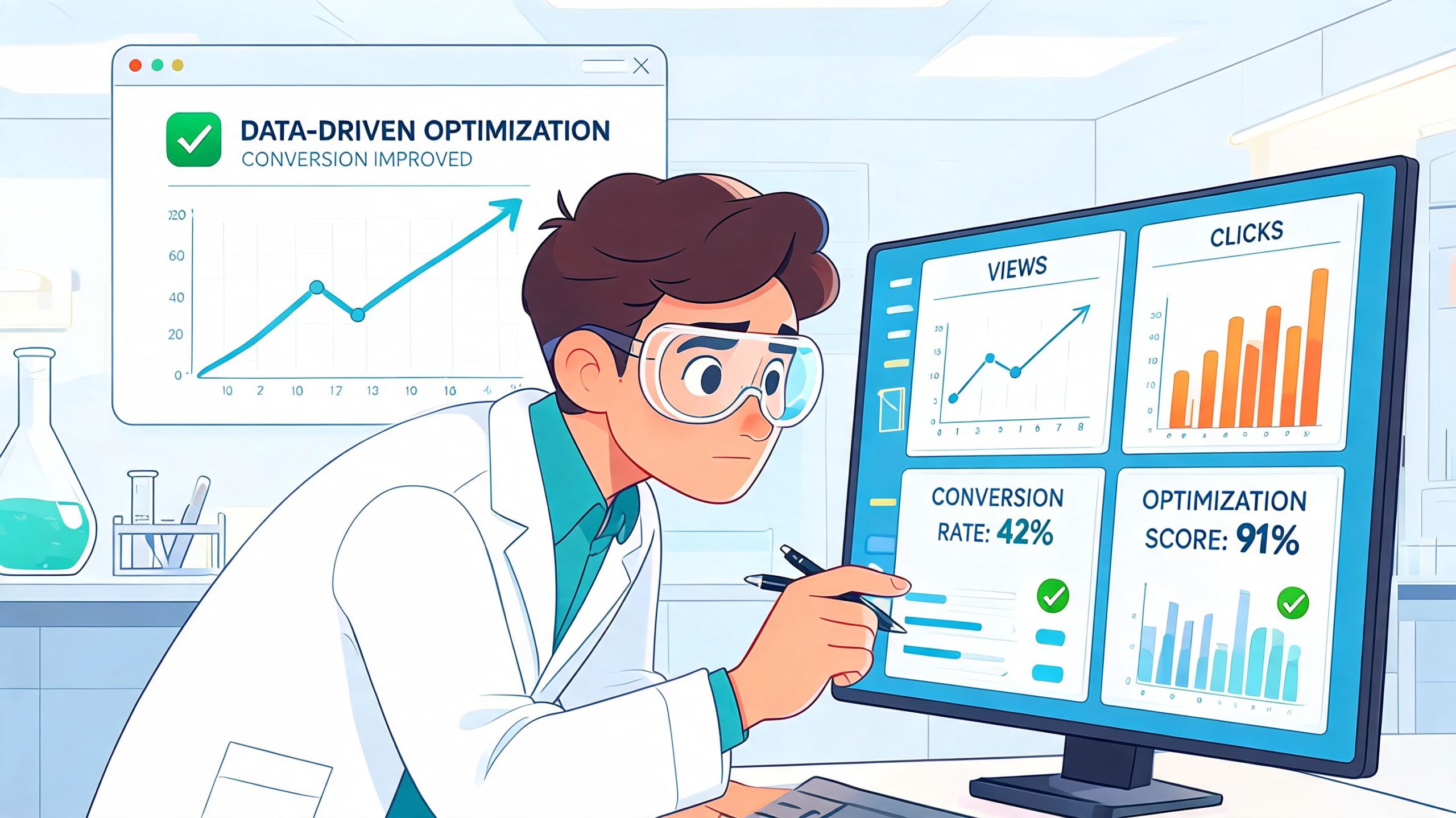
    A scientist in a lab coat analyzing digital data metrics and conversion charts on a computer screen.

    Track the metrics that matter

    Start with a short measurement stack:

    • Popup conversion rate: How many exposed visitors completed the intended action
    • Dismissal rate: How often people close without engaging
    • Downstream conversion quality: Did the lead subscribe, trial, purchase, or return
    • Page-level impact: Did engagement improve or get worse on affected pages
    • Revenue influence: For ecommerce and paid acquisition, did the popup assist real sales

    You also want behavioral context. Heatmaps and session review tools can tell you whether the popup appears at a sensible moment or interrupts critical page interaction. This overview of heat maps in Google Analytics workflows is a helpful starting point if your team is trying to connect popup behavior to on-page friction.

    Test the offer before the cosmetics

    A/B testing works best when you change the biggest lever first.

    According to Popupsmart’s research on why popups convert, reducing form fields from three to two can increase conversions by over 200%. The same source notes that segmenting offers for first-time versus returning visitors allows for personalized messaging that converts significantly higher.

    That tells you where to focus:

    1. Offer
    2. Audience segment
    3. Form length
    4. Headline
    5. Trigger timing
    6. Layout and imagery

    Teams often do this backward. They test button color before fixing a weak offer. They test font size before reducing friction. That wastes time.

    Test the thing that changes visitor motivation first. Only then test the thing that changes presentation.

    Use a simple optimization rhythm

    I like a weekly rhythm for active popup programs:

    • Review intent segments: New visitor, returning visitor, cart builder, pricing-page visitor
    • Compare popup variants: One variable at a time where possible
    • Inspect qualitative signals: Survey responses, session recordings, support chats
    • Promote or kill quickly: Keep only variants that help the broader funnel

    For email capture popups, don’t ignore list quality after the submit. If a popup starts feeding low-intent contacts into your email program, deliverability can slip. Before scaling a new acquisition popup, run the captured addresses and sending setup through an email spam checker so your follow-up emails reach inboxes.

    Know when to stop optimizing

    Sometimes a popup is entirely the wrong tool for the page.

    If the popup repeatedly underperforms despite changes to offer, trigger, and form length, the issue may be page-message mismatch or a weak underlying proposition. In SaaS, that often means the pricing page needs clearer packaging. In ecommerce, it might mean shipping, returns, or trust signals need work before any modal can rescue the session.

    Optimization should sharpen a good idea. It can’t fix a bad one.

    Advanced Tactics and Common Pitfalls

    A visitor hits your pricing page for the third time, scrolls to the annual plan, hesitates, then moves toward the back button. Asking for a newsletter signup in that moment is the wrong job. A better popup asks what is blocking the decision, then routes the visitor to the next best step.

    That is the level where popup programs start to pay off. The popup is not just a form. It is a tool for lead capture, cart recovery, product recommendation, or feedback collection, and the build should follow that job.

    Use popups to classify intent before you ask for more

    Two-step popups work well because they reduce commitment upfront and improve message match on the second step. In SaaS, the first step can sort visitors by use case, team size, or objection. In ecommerce, it can sort by purchase intent, category interest, or cart hesitation.

    Good first-step prompts include:

    • Need help choosing a plan?
    • Want free shipping on this order?
    • What is stopping you from checking out today?
    • Shopping for yourself or for a team?

    The first click gives you signal. Then the second screen can do its actual job, whether that is collecting an email, showing a discount, recommending a plan, or capturing feedback for the team.

    I use this pattern often on high-intent pages because it stops the common mistake of showing the same generic modal to every visitor. Pricing-page traffic in SaaS usually needs qualification or objection handling. Cart and checkout traffic in ecommerce usually needs reassurance, urgency, or a simple incentive.

    Match the popup to the page’s job

    Advanced popup strategy is mostly about alignment.

    On a blog post, the popup’s job might be lead generation. On a pricing page, it might be sales assist. On cart and checkout pages, it might be abandonment recovery. On an account area or post-purchase page, it might be feedback.

    That sounds obvious, but many teams still run one popup across the whole site and call it optimization.

    Use different logic for different moments:

    • SaaS blog traffic: Offer a template, checklist, webinar, or email course
    • SaaS pricing traffic: Ask what is blocking the decision, then route to demo, trial, or plan help
    • Ecommerce product pages: Recommend related products, bundles, or first-order incentives
    • Ecommerce cart pages: Surface shipping thresholds, limited-time offers, or objection capture
    • Post-purchase flows: Ask for feedback, review intent, or cross-sell interest

    As noted earlier, popup results vary a lot by context, device, and execution. Treat that as a design constraint, not a surprise.

    Add behavior-based logic, not more noise

    The best-performing advanced setups usually feel smaller, not louder. They are triggered by a specific behavior and tied to one clear outcome.

    A few patterns that hold up in practice:

    • Cart value threshold: Show free-shipping progress or a bundle offer only when the cart is close enough to matter
    • Pricing hesitation: Trigger after repeated pricing-page visits, comparison-table interaction, or exit behavior
    • Form rescue: If a visitor abandons a trial or checkout form, ask one question instead of pushing the same form again
    • Returning visitor suppression: Change the message after a close, a submit, or a product view threshold
    • Survey-to-offer sequencing: Ask one short question first, then present the right CTA based on the answer

    If you want to implement simple behavior rules without a heavy popup stack, even lightweight JavaScript can handle basic sequencing:

    <script>
      const hasClosed = localStorage.getItem('promo_closed');
      const viewedPricing = window.location.pathname.includes('/pricing');
    
      function showPopup() {
        const popup = document.getElementById('intent-popup');
        if (popup) popup.style.display = 'block';
      }
    
      function closePopup() {
        localStorage.setItem('promo_closed', 'true');
        const popup = document.getElementById('intent-popup');
        if (popup) popup.style.display = 'none';
      }
    
      if (!hasClosed && viewedPricing) {
        setTimeout(showPopup, 12000);
      }
    </script>
    

    That snippet is intentionally simple. For production, add frequency caps, device checks, accessibility support, analytics events, and separate rules for submit vs. dismiss behavior.

    Common mistakes that hurt conversion

    These are the issues that drag down performance even when the offer looks solid:

    • Hard-to-close popups: If dismissing the modal feels annoying, the brand takes the hit
    • One popup trying to do everything: A lead-gen form will not solve cart abandonment, and a discount modal will not help a SaaS buyer who needs plan clarity
    • Too many fields: Ask only for what the next step requires
    • No suppression logic: If someone closes, converts, or has already seen the offer enough times, stop showing it
    • Weak mobile adaptation: A popup built for desktop often breaks the phone experience with cramped copy, oversized forms, or poor close targets
    • Ignoring accessibility: Keyboard navigation, focus order, readable contrast, and screen-reader support all affect usability. If your team needs a practical reference, this guide to accessibility tools for websites is a useful place to audit the basics.
    • Optimizing to popup metrics only: More submits can still mean worse lead quality, lower AOV, or lower trial-to-paid conversion

    One more trap shows up in both SaaS and ecommerce. Teams keep adding urgency, animation, and discounts before they fix message fit. If the popup has the wrong job for the page, extra tactics just make the mismatch more obvious.

    A better advanced playbook

    Use a simple standard:

    • Assign one job per popup: capture, recover, recommend, or learn
    • Trigger from behavior: scroll depth, cart state, repeat visits, inactivity, or exit intent
    • Adapt by segment: new visitor, returning evaluator, active cart, high-intent product viewer
    • Respect suppression rules: after close, after submit, after purchase, and after a set view limit
    • Send what you learn back into the funnel: objections should improve pricing pages, product detail pages, onboarding, and checkout copy

    That is how popup work matures. It stops being a collection of modals and becomes a conversion system tied to actual visitor intent.

  • Mastering The Exit Intent Popup To Win Back Visitors

    Mastering The Exit Intent Popup To Win Back Visitors

    Ever had a visitor on your site, seconds away from leaving, only to be won back by the perfect offer? That’s the power of a well-executed exit intent popup. It’s your last, best chance to convert a visitor before they click away for good. This guide provides actionable steps to turn those departing visitors into customers, subscribers, and valuable sources of feedback.

    What Is An Exit Intent Popup And How Does It Work

    An exit intent popup is a smart marketing tool that detects when a user is about to leave your website and presents them with a targeted message. This isn’t just another popup; it’s a strategic final touchpoint.

    Pictures of different types of exit intent popup offerings

    The technology behind it is straightforward. On desktop, it tracks mouse velocity and direction. When a user’s cursor moves rapidly towards the top of the browser—aiming for the close button, a new tab, or the back button—the software triggers the popup. On mobile, it relies on behaviors like rapid scrolling up or hitting the back button.

    The Magic Is In The Timing

    The effectiveness of an exit intent popup lies in its timing. It appears at the exact moment a visitor disengages, creating a final opportunity to re-engage them. Instead of interrupting their browsing, it acts as a helpful last-ditch effort.

    Here are three actionable ways you can use this moment to your advantage:

    • Save a sale: Implement a popup on your checkout page that offers free shipping or a 10% discount to users abandoning their cart. This directly addresses one of the top reasons for cart abandonment.
    • Grow your email list: On a blog post, offer a relevant resource like a downloadable checklist or an exclusive video in exchange for an email. This captures high-intent leads.
    • Get priceless feedback: Trigger a one-question survey on your pricing or cancellation page asking why a visitor is leaving. Use this data to improve your offerings.

    Actionable Tip: Frame your popup offer as a helpful solution to a problem. A discount on the checkout page solves a price hesitation; a checklist on a blog post provides a next step. This shifts the perception from an ad to a helpful suggestion.

    For a quick overview, here’s a look at the essentials.

    Exit Intent Popup At A Glance

    AspectDescriptionKey Metric
    ConceptA popup triggered when a user shows intent to leave a website.Visitor Abandonment Rate
    GoalTo re-engage the visitor with a relevant offer and prevent them from leaving.Conversion Rate
    PerformanceCan recover 10-15% of visitors who would have otherwise left for good.Leads Captured / Sales Recovered

    This simple tool has become a go-to for marketers for a good reason—it works.

    Proven Performance And Potential

    Exit intent popups have been a staple in conversion optimization since they first gained traction around 2012. Why? Because the numbers don’t lie. On average, they can bring back 10-15% of abandoning visitors.

    While a solid baseline conversion rate for these popups is around 3.09%, the best ones do much, much better. Highly targeted campaigns with compelling offers can see conversion rates soar to 15-25% or even higher. It all comes down to presenting the right offer to the right person. Someone leaving a product page might love a discount, while a visitor leaving a blog post might prefer a related ebook.

    To dive deeper into the tactics that drive these results, exploring expert guides on Exit Intent Popup Strategies is a great next step. This approach is all about turning a potential loss into a happy new customer or a valuable lead for the future.

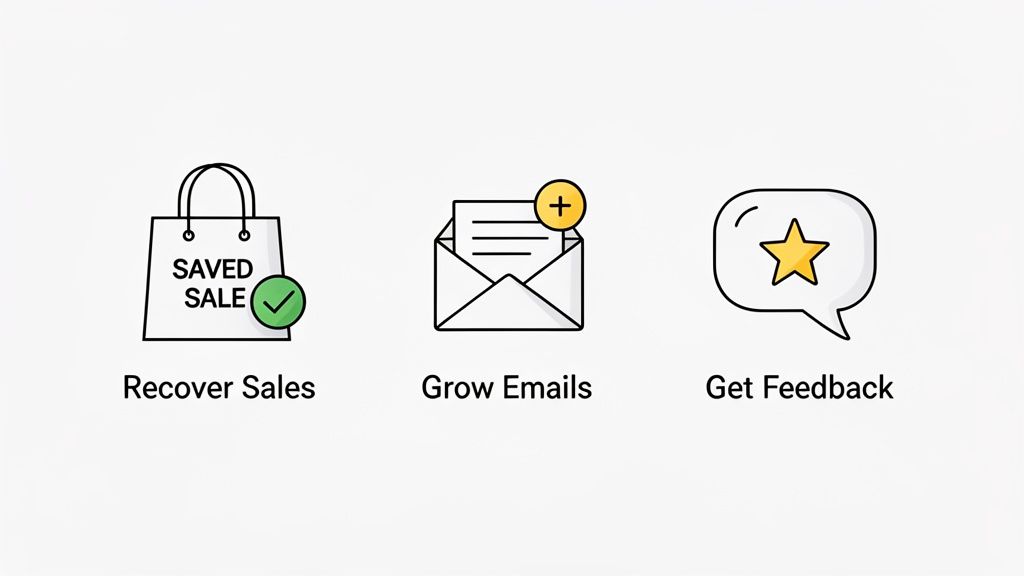
    So, What Can Exit Popups Actually Do For You?

    Let’s move from theory to practical application. A smart exit intent popup is your last line of defense against lost revenue and missed opportunities. It’s a proactive tool that can solve some of the most persistent challenges for online businesses, like cart abandonment and low lead capture rates.

    Three icons representing marketing strategies: recover sales, grow emails, and get feedback.

    When implemented correctly, exit popups deliver tangible results. Here are the three primary actions you can drive with them.

    Recover Sales You Would Have Lost

    This is the most direct and financially rewarding use of an exit popup. Every visitor who leaves with items in their cart represents lost revenue. An exit popup is your final opportunity to intervene.

    Actionable Insight: Unexpected shipping costs are the #1 reason for cart abandonment. Set up an exit popup that triggers exclusively on your checkout page when a user tries to leave. The offer? “Wait! Get Free Shipping On This Order.” This directly counters their objection and can instantly save the sale.

    For SaaS companies, the same logic applies. If a user hesitates on your pricing page, a well-timed popup offering a 14-day extended trial or a free one-on-one demo can provide the reassurance they need to convert.

    Grow Your Email List (With People Who Actually Care)

    Building a quality email list means attracting subscribers who are genuinely interested in your content. Exit popups excel at this by capturing leads at their peak moment of engagement.

    Actionable Insight: Identify your most popular blog posts. On these pages, set up an exit popup that offers a “content upgrade”—a resource that complements the article. For instance, if the article is about “10 Time-Saving Tips,” offer a “Free Productivity Checklist.” This targeted approach yields higher-quality subscribers than a generic “Join our newsletter” form.

    By matching your offer to what the visitor was just doing, you attract subscribers who are genuinely invested in your topic. This naturally leads to better open rates, more clicks, and an email strategy that actually works.

    The numbers don’t lie. In the tough worlds of ecommerce and SaaS, exit-intent popups used for cart abandonment see an average conversion rate of 17.12%. That blows most general popups out of the water and proves their power to not just grab an email, but to save a sale. You can check out more data on popup performance to see how these stats compare.

    Get Honest Feedback You Can Actually Use

    One of the most powerful—and often overlooked—uses for exit popups is gathering unfiltered customer feedback. By understanding why people leave, you get an actionable roadmap for improving your website and product.

    Here’s how to implement it:

    • For Ecommerce: On the cart page, trigger a one-question survey for abandoning visitors: “What’s stopping you from buying today?” with options like “Price,” “Shipping Costs,” or “Trust Concerns.” Use these answers to prioritize site improvements.
    • For SaaS: On the subscription cancellation page, use an exit survey: “What could we do differently to convince you to stay?” This feedback is invaluable for reducing churn and guiding your product development.

    This strategy transforms a negative event (a user leaving) into a positive learning opportunity. You get a final chance to win them back and collect data to improve the experience for all future visitors.

    Creative Exit Intent Popup Examples That Actually Convert

    A generic “Join Our Newsletter” popup is a wasted opportunity. To be effective, an exit intent popup must present an offer so relevant it stops the visitor in their tracks. The best popups are tailored to a specific goal: saving a sale, capturing a lead, or gathering feedback.

    Online shopping interface with 30% discount offer

    Here are three actionable strategies, broken down by objective, that you can implement on your site today.

    Goal 1: Close The Sale With A Strategic Incentive

    For an ecommerce store, every abandoned cart is a direct hit to the bottom line. Instead of a generic coupon, create a targeted offer that feels both personal and urgent.

    Actionable Insight: Target first-time visitors who abandon a cart over a specific value (e.g., $75). When they move to exit, trigger a popup with this message: “Wait! As a new customer, take 15% OFF your first order. Complete your purchase now.” This tactic works by:

    1. Personalizing the offer (“As a new customer”).
    2. Incentivizing a higher order value.
    3. Creating urgency to complete the purchase immediately.

    You’re doing more than just offering a coupon. You’re giving them a specific, compelling reason to overcome their last-second hesitation and validating their decision to shop with you.

    Goal 2: Generate Leads With An Irresistible Resource

    For SaaS and content-driven sites, lead generation is paramount. Don’t just ask for an email—earn it by offering something of tangible value that directly relates to the content they’re leaving.

    Actionable Insight: A visitor just read your guide on team productivity. As they move to exit, offer a “Free Productivity Cheatsheet.” It’s a logical next step, not an interruption.

    The most effective lead magnets are practical tools users can apply immediately:

    • Checklists or templates that help them put your advice into action.
    • Exclusive video guides that go deeper than the blog post.
    • Free calculators or diagnostic tools that solve a specific problem.

    With this tactic, you’re not just getting an email. You’re turning a casual reader into a qualified lead who sees you as a valuable expert.

    Goal 3: Guide Users And Gather Feedback

    Sometimes, the best offer is an offer of help. This strategy is perfect for complex product pages, pricing tables, or SaaS cancellation flows. The goal is to start a conversation and resolve friction.

    Actionable Insight: On your pricing page, if a user spends more than 60 seconds and then tries to leave, trigger a popup that asks, “Have questions about our plans? Chat with an expert now.” This simple question can initiate a conversation that leads directly to a sale.

    Another powerful tactic is the conditional exit survey. On the subscription cancellation page, ask: “What’s the main reason you’re canceling?” If the user selects “It’s too expensive,” you can instantly present a follow-up offer: “How about 30% off for 3 months?”

    Exit Intent Use Case By Business Goal

    To make this crystal clear, here’s a breakdown of how different goals translate into practical use cases for both ecommerce and SaaS, and how you could set them up with a tool like Receiver.

    Business Goal Ecommerce Use Case SaaS Use Case Receiver Implementation
    Close Sales Offer free shipping or a 10% discount to users abandoning a high-value cart. Provide a limited-time discount on an annual plan for users leaving the pricing page. Trigger a smart incentive based on cart contents or time spent on the pricing page.
    Generate Leads Offer a "Style Guide" PDF to visitors leaving a fashion category page. Offer a free setup checklist to users leaving a "Getting Started" guide or help document. Use a targeted survey to offer a downloadable asset based on the visitor’s browsing history.
    Guide Users Show a "Find Your Perfect Fit" quiz popup on product pages with high bounce rates. Ask a one-question survey on the cancellation page to understand churn reasons. Deploy SurveyPilot to ask "Why are you leaving?" and offer a retention incentive.

    By aligning your exit intent popup with a clear business goal and the visitor’s specific context, you stop being intrusive and start being helpful. This simple shift turns a moment of potential loss into a massive opportunity for conversion and connection.

    Actionable Best Practices For Timing And Targeting

    The difference between a high-converting exit intent popup and an annoying one comes down to context. Smart timing and targeting make your offer feel like a helpful suggestion rather than a disruptive ad. This is how you convert abandoning visitors into customers.

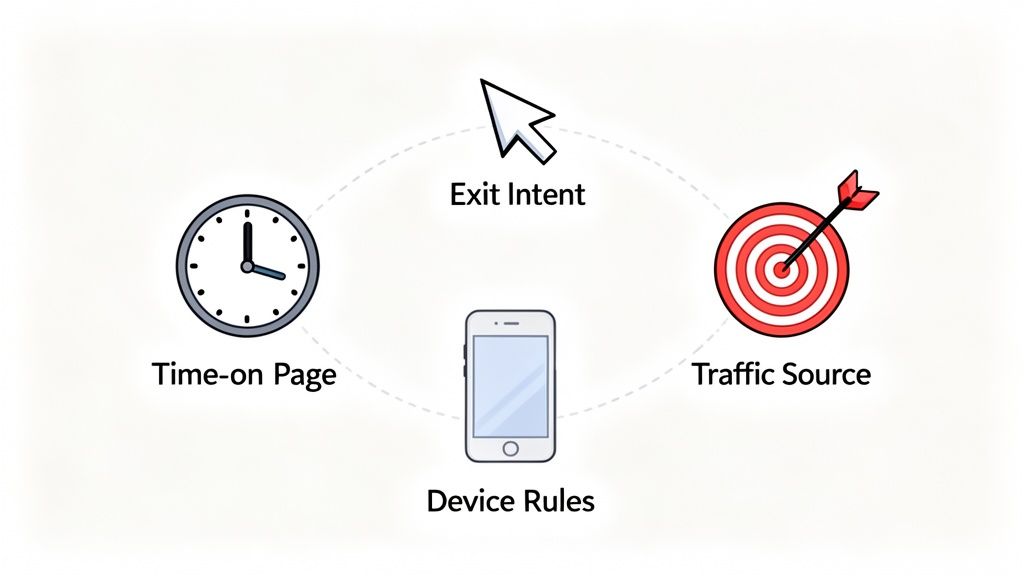
    Diagram illustrating key factors for web engagement: time on page, exit intent, traffic source, and device rules.

    Here are actionable rules you can apply to make your popups smarter and more effective.

    Start With Page-Specific Offers

    A one-size-fits-all popup is a major missed opportunity. The page a visitor is on reveals their intent. Match your offer to that context for an easy win.

    • On a Blog Post: Don’t ask for a sale. Offer a related content upgrade, like a free checklist or an in-depth eBook on the same topic.
    • On a Product Page: Trigger a small discount, a free shipping offer, or a “notify me when back in stock” form for sold-out items.
    • On a Pricing Page: This is your moment to be direct. Offer a personalized demo, an extended trial, or a limited-time introductory rate.

    Target Based On Traffic Source

    Knowing where a visitor came from gives you a powerful clue about their mindset. Tailor your exit offer to their referral source to create a more personalized experience.

    Actionable Insight: A visitor from a Facebook ad is likely new to your brand. Create a specific exit popup for this segment that reinforces the ad’s message and includes a “welcome” discount. A visitor from an organic search, however, might be looking for information. Offer them a relevant case study or guide.

    When you segment offers by traffic source, you’re acknowledging how the visitor found you. It makes the entire experience feel connected and your offer feel more exclusive.

    For example, if someone lands on your site from a popular review blog, they’re likely in the final stages of making a decision. An exit popup highlighting customer testimonials or an industry award could be the final nudge they need to commit.

    Implement Device-Specific Rules

    A popup that works on desktop can be a disaster on mobile. You must adapt your strategy for smaller screens and different user behaviors.

    Standard cursor-based exit intent doesn’t work on mobile. Instead, use these triggers:

    • Back-Button Taps: Trigger a popup when a user taps the “back” button on a critical page, like checkout.
    • Rapid Up-Scrolling: Sense when a user scrolls quickly to the top of the page, a clear sign they’re about to leave.
    • Tab Switching: For Android users, you can sometimes trigger an offer when they switch to another browser tab.

    This level of device-specific control ensures your popups are helpful, not intrusive, and avoids potential penalties from Google for aggressive mobile interstitials.

    Use Advanced Behavioral Triggers

    Layer behavioral triggers to distinguish casual browsers from engaged prospects. This allows you to save your best offers for those most likely to convert.

    • Time on Page: Reserve your most valuable offers for visitors who have spent a significant amount of time (e.g., over 60 seconds) on a key page.
    • Scroll Depth: If a visitor has scrolled 75% down a long sales page, they are highly engaged. This is a perfect moment to present a strong CTA before they leave.
    • Visit Frequency: Show a “welcome” discount to first-time visitors. For returning visitors, offer a loyalty reward or early access to a new product.

    By combining these tactics, you can create highly effective campaigns. For example, show a high-value discount only to first-time visitors who came from a paid ad, spent over a minute on the pricing page, and scrolled at least 50% down before trying to leave. That’s how you put your best offers in front of the people most likely to convert, maximizing your ROI while delivering a relevant, perfectly timed message.

    How to A/B Test Your Popups for Maximum Impact

    Launching an exit-intent popup is just the first step. To unlock its true potential, you must move from guessing to data-driven optimization through A/B testing. This process transforms your popup from a simple feature into a reliable growth engine.

    A/B testing, or split testing, involves creating two versions of your popup (an ‘A’ and a ‘B’) and showing them to different segments of your audience to see which one performs better.

    Key Metrics You Must Track

    To run meaningful tests, focus on metrics that directly impact your business goals.

    • View Rate: The percentage of eligible visitors who see the popup. A low rate may indicate your trigger rules are too strict.
    • Conversion Rate: The percentage of viewers who take the desired action (e.g., submit an email, use a discount). This is the primary indicator of your offer’s effectiveness.
    • Direct Revenue Impact: For ecommerce, this tracks the actual sales generated from your popup’s discount codes, providing a clear ROI.

    A real-time dashboard is essential for monitoring these metrics and making quick, informed decisions.

    This immediate feedback loop is priceless. You can quickly see which offers are hitting the mark and how much revenue they’re recovering for you.

    A Framework for Effective A/B Testing

    A structured approach is necessary for reliable results. Before you start, ensure you have the right tools by choosing the right A/B test platform to guarantee clean data.

    Follow this simple, repeatable process:

    1. Formulate a Hypothesis: Start with a specific, testable idea. For example: “I believe changing the headline from ‘Join Our Newsletter’ to ‘Get 15% Off Your First Order’ will increase conversions because it offers immediate, tangible value.”
    2. Isolate One Variable: Test only one element at a time. If you change the headline, the offer, and the button color simultaneously, you won’t know which change caused the result.
    3. Run the Test to Statistical Significance: Be patient. Don’t end a test prematurely. Most testing tools will notify you when you have collected enough data to declare a statistically significant winner.

    Key Insight: A structured testing process takes the guesswork out of optimization. It’s about making small, data-backed changes that add up to massive improvements over time.

    Elements to Test for Big Wins

    Not sure where to start? Focus on the elements that have the most significant impact on conversion rates.

    Here is an actionable checklist of high-impact variables to test:

    • The Offer: This is your most powerful lever. Test a percentage discount vs. a fixed dollar amount, free shipping vs. a free gift, or a downloadable guide vs. an interactive quiz.
    • The Headline: Your first impression. Test a direct question (“Confused by our pricing?”), an urgent statement (“Wait! Your 15% off coupon expires soon”), or a benefit-driven phrase (“Unlock Your Free Guide”).
    • The Call-to-Action (CTA): Test specific, action-oriented button text like “Claim My Discount” against a generic “Submit.” Also, experiment with button color and size to see what draws the most clicks.
    • The Visuals: Test a popup with a relevant product image or a customer photo against a text-only version.
    • The Copy: Brevity is key. Test short, punchy copy against a slightly longer version that provides more context or overcomes a specific objection.

    By systematically testing these elements, you will gain a deep understanding of what motivates your audience, allowing you to turn more abandoning visitors into loyal customers.

    Your Step-By-Step Exit Intent Popup Strategy

    Let’s translate theory into action. This section provides a step-by-step guide to building an exit intent strategy from scratch for two common scenarios: an ecommerce store recovering a sale and a SaaS company reducing churn.

    The goal is to create a smart, automated system that uses data and targeted offers to transform leaving visitors into positive outcomes.

    Ecommerce Scenario: The Cart Recovery Offer

    Abandoned carts are a major source of lost revenue for online stores. This strategy uses a laser-focused exit intent popup to stop last-minute hesitation and save the sale.

    The Goal: Recover sales from shoppers who are about to abandon a cart worth more than $100.

    The Strategy:

    1. Define the Trigger: Set the popup to fire only when a user with items in their cart attempts to leave the checkout page. Add a condition: the cart value must be over $100. This reserves your best offers for high-value customers.
    2. Craft the Offer: Create urgency with a time-sensitive discount. Use clear language: “Wait! Get 15% OFF your order. Complete your purchase in the next 10 minutes to lock in your discount.”
    3. Implement the Workflow: In your conversion tool, create a new popup. Set the trigger to “exit intent” and add a targeting condition for “cart value greater than 100” and “URL is checkout page.”
    4. Design the Popup: Use a strong headline, bold the discount, and include a countdown timer. The CTA button should be compelling, such as “Claim My 15% Discount.”
    5. Track the Results: Ensure your analytics can track the usage of the unique discount code. This directly attributes recovered revenue to your popup and proves its ROI.

    SaaS Scenario: The Churn Reduction Survey

    For a SaaS business, understanding why customers cancel is critical for long-term growth. This strategy uses an exit survey to gather feedback and actively retain customers.

    The Goal: Understand cancellation reasons and retain users who are on the “Cancel Subscription” page.

    This approach flips a negative moment—a customer canceling—into a chance to learn or even win them back. You either get priceless feedback to improve your product, or you keep a customer you were seconds away from losing.

    The Strategy:

    1. Define the Trigger: Set the popup to appear on exit intent, but only on your subscription cancellation page. This is the critical moment to intervene.
    2. Deploy a Quick Survey: Use a simple, one-question survey: “What’s the main reason you’re canceling?” Provide clear, multiple-choice options like “It’s too expensive,” “Missing a key feature,” or “I’m not using it enough.”
    3. Create a Conditional Offer: This is the smart part. Set up an automation rule: if a user selects “It’s too expensive,” instantly display a targeted retention offer: “We understand. How about 30% off for the next 3 months?”
    4. Automate the Save: If they accept the offer, the discount can be applied to their account automatically. If they decline, you have still captured crucial feedback data for your product team.

    Platforms like Receiver are built for this. They let you create these kinds of automated workflows right inside their dashboard, seamlessly connecting a user’s action (like clicking a survey response) to a specific, targeted offer.

    By creating a unified strategy like this, you can get much more out of the traffic you already have. You’re not just throwing up a generic popup; you’re having a smart, targeted conversation that can have a direct and measurable impact on your bottom line.

    A Few Lingering Questions

    Even with a solid plan, some common questions often arise. Let’s address them so you can implement your exit intent strategy with confidence.

    Will An Exit Intent Popup Wreck My SEO Ranking?

    No—a properly implemented exit intent popup will not harm your SEO. Google’s penalties target “intrusive interstitials,” which are popups that block content immediately upon arrival from a search result, especially on mobile. An exit intent popup is different because it only appears when the user is already leaving. It doesn’t disrupt the initial user experience, so it complies with Google’s guidelines.

    How Do I Keep My Popups From Being Annoying?

    The key to creating popups people don’t hate is to make them relevant and helpful. Annoyance comes from irrelevant interruptions, not the popup itself.

    Follow these simple rules:

    • Context is Everything: Match the offer to the page. Free shipping on the checkout page is helpful. Free shipping on a blog post is confusing.
    • Don’t Be Clingy: Use frequency caps (cookies) to control how often a visitor sees a popup. Limit it to once per session or once every few days.
    • Keep It Simple: The visitor must understand the offer in a split second. Use a clear headline, concise copy, and an obvious way to accept or close the popup.

    Are Popups Even Effective On Mobile?

    Yes, but they require a different approach. On mobile, there is no mouse cursor to track, so exit intent is triggered by actions like tapping the back button, scrolling up quickly, or switching tabs.

    Actionable Insight: The key to mobile success is to use less intrusive formats. Avoid full-screen takeovers, which are frustrating and penalized by Google. Instead, use slide-in banners or small bars at the top or bottom of the screen that deliver the message without blocking the entire page.

    What’s A Good Conversion Rate For An Exit Popup?

    While the industry average for all popups is 3-5%, you should aim higher for exit-intent popups due to their timely and contextual nature.

    A conversion rate between 5% and 10% is a great initial goal for a well-targeted campaign.

    But don’t stop there. Top-tier campaigns, especially for cart abandonment, can achieve conversion rates of 15% or higher. The path to these numbers is continuous A/B testing. Systematically tweak your headline, offer, and design to discover what resonates with your audience and steadily increase your baseline performance.


    Ready to turn those abandoning visitors into loyal customers? With Receiver, you can launch smart exit-intent surveys and offers that feel helpful, not intrusive. Find out why visitors are leaving and automatically give them the perfect reason to stay. Start your Timeless Trial and see the results for yourself.